
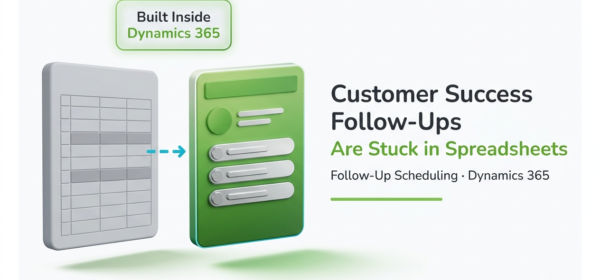
A customer success team carrying 200 accounts absorbs somewhere between a dozen and thirty missed follow-ups a year, and never once sees a line item for it. The cost shows up later, at renewal, in a conversation that starts colder than it should have. Here are the signs it’s happening to yours.
Key Stats
| Stat | Why it matters |
|---|---|
| 94% of spreadsheets used in business decision-making contain errors | The file your renewals depend on is statistically unreliable. |
| Acquiring a new customer costs 5 to 25 times more than keeping an existing one | A missed follow-up that loses an account is about the most expensive error a customer success team can make. |
| A 5% increase in retention can boost profits by as much as 25% | Small gains in follow-up discipline compound into real margin. |
The Warning Signs: When Follow-Up Scheduling Outgrows a Spreadsheet
Almost every customer success team builds the sheet eventually. Account, Owner, Last Touch, Next Follow-Up, Notes. Somebody adds conditional formatting so overdue rows go red. It’s a sensible workaround, and at twenty accounts it works fine.
Then it doesn’t.
The usual diagnosis is that spreadsheets don’t scale, and the usual prescription is to go buy a customer success platform. The thing is that none of them are the ideal solution, because the actual problem is not the spreadsheet but the fact that the file is a second system of record and cannot interact with the customer.
Think about what a row in that sheet really is. It’s a decision somebody made in the past, frozen at the second they typed a date. Since then, the customer opened two support tickets. Their champion left. Usage dropped 40% in a month. None of that reaches the row. The date just sits there, describing a customer who doesn’t exist anymore.
Your Dynamics 365 record knows all of it. The sheet knows none of it, and your follow-up schedule is running off the one that stopped learning.
So these aren’t six unrelated annoyances. They’re six visible symptoms of a single problem: the schedule came detached from the record it’s supposed to serve.
Sign 1: Your Renewal Dates Live in a Column, Not on the Account
What it looks like: Somebody asks when the Henderson account renews. Nobody opens Dynamics 365. Somebody opens the sheet, scrolls, and reads a date out of column F.
Why it happens: That renewal date was never entered as anything the CRM could act on. It went into a cell because a cell was the fastest place to put it. A cell can store a date. It just can’t do anything with one.
What it costs: Run the math on your own book. A rep carrying 60 accounts with four planned touches a year is holding 240 scheduled moments in their head. At a 5% slip rate, and that’s generous for a system with no reminders, you’re looking at 12 missed touches per rep per year. Multiply that by your headcount, then price it against the fact that acquiring a replacement customer costs 5 to 25 times what keeping this one does. The number very quickly goes from manageable to disaster waiting to happen.
Sign 2: Nothing Happens Unless Somebody Remembers to Open the File
What it looks like: The follow-up date arrives and nothing happens about it, the day goes by like any other day with the cell silently turning red inside a file nobody opened.
Why it happens: A spreadsheet is a passive tool by design. It waits. Reaching out isn’t what a spreadsheet is for, so it has no way to do it. The whole system rests on a person deciding to check it, on a day when checking it competes with three customer calls and a QBR.
What it costs: This is the sign that turns every other sign into lost revenue. In a system with reminders, a missed date is a late follow-up. In a system without them, it’s a follow-up that never happens at all. And since unhappy customers quietly switch instead of complaining, you won’t hear about it. The account just goes cold and turns up in next quarter’s numbers. A Dynamics 365 calendar built inside the CRM deletes the remembering step, because the system raises its hand instead of waiting to be checked.
Sign 3: Your “Last Touch” Column Is Typed by Hand, and It Is Wrong
What it looks like: The sheet says you last spoke to an account on 12 March. The rep actually called on 27 March, emailed twice after that, and never went back to fix the row.
Why it happens: Double-entry always loses. When logging an activity means doing the work, logging it in D365, and then also updating the sheet, guess which step gets dropped? Not because reps are careless. Because it’s the one step with no immediate consequence.
What it costs: You’re now prioritizing on data that’s wrong in a direction you can’t predict. Accounts that look neglected might be perfectly fine. Ones that look healthy might have gone eight weeks without a word. That’s the real failure mode behind the finding that 94% of business spreadsheets contain errors. Not one dramatic mistake. Steady drift that nobody audits, because auditing it takes longer than the work itself.
Sign 4: Two Reps, One File, and the Last Save Wins
What it looks like: A note that was there on Tuesday is gone on Thursday. A date moved, and nobody moved it. Two reps land on the same customer in the same week, from opposite directions, because neither could see what the other had planned.
Why it happens: A shared file has no conflict detection. It can’t hold the idea of two people having different intentions about the same account at the same time. Whatever was written last becomes the truth.
What it costs: Internally, it’s rework and lost notes. Externally, it’s worse because the customer sees this one. Getting contacted twice in a week by two people who obviously haven’t spoken tells a customer something very specific about how organized their vendor is. Usually, right before they decide whether to keep paying that vendor.
Sign 5: Your Manager Asks “Did You Call Them?” Instead of Looking
What it looks like: Friday afternoon. The CS manager wants to know whether this week’s at-risk follow-ups actually happened. No view answers that, so they message four reps and wait.
Why it happens: The sheet records intent, not completion. It captures what somebody meant to do. Whether it happened lives in the rep’s head, their sent folder, or nowhere at all. Asking is the only retrieval method available, and asking stops working past a handful of reps. A Dynamics 365 calendar that spans the team answers the question just by being looked at.
What it costs: It turns management into archaeology. Instead of catching a silent enterprise account two weeks out, while there’s still time to do something about it, the gap surfaces in the renewal review, when there isn’t. Given that a 5% lift in retention can raise profits by as much as 25%, the interventions this blind spot eats are the highest-leverage work the team has.
Sign 6: An Escalation Means Rebuilding the History From Three Places
What it looks like: A major account escalates. Leadership wants the full contact history. Somebody burns two hours stitching it together from the spreadsheet, an inbox, and a scattering of CRM notes, and it still has holes.
Why it happens: The contact trail was never in one place. It got split across a file, an email client, and the CRM, with no single record holding the sequence. Nothing is there to retrieve, because nothing was ever assembled.
What it costs: The two hours are the visible cost, and the trivial one. The real cost is that the history you hand leadership is incomplete, and everyone in the room knows it. If a customer ever disputes whether they were contacted, you’ve got no defensible answer. That isn’t an admin problem. That’s exposure.
How Severe Is Your Follow-Up Scheduling Problem?
Score each sign against your own team. 0 = not present. 1 = happens occasionally. 2 = happens frequently.
| # | Sign | Your score (0-2) |
|---|---|---|
| 1 | Renewal dates live in a spreadsheet column, not on the account record | |
| 2 | Follow-up dates pass with no reminder firing | |
| 3 | The “Last Touch” value is typed by hand and drifts from reality | |
| 4 | Shared-file edits collide, notes vanish, or customers get double-contacted | |
| 5 | Your manager asks reps what happened instead of looking it up | |
| 6 | Reconstructing an account’s contact history takes more than 15 minutes |
Add it up. You’re scoring out of 12.
Score 0 to 3: Monitor. Your team is still small enough that discipline covers the gap. It’ll stop covering it the moment you add a rep or a tier of accounts. Watch for Sign 2 showing up first. It’s the leading indicator.
Score 4 to 7: Act soon. You’re past the point where effort makes up for infrastructure. The failures are already happening. You’re just not measuring them. Figure on a quarter or two before this reaches your renewal numbers.
Score 8 or above: Urgent. What you have isn’t a system. It’s a set of individual habits running in parallel with no safety net. Assume you’re currently missing follow-ups on accounts you’d describe as healthy.
What To Do Next
Match the action to your score. And do the free diagnostic work before you evaluate any tool, because a tool laid over an unmeasured problem just moves it somewhere else.
If you scored 0 to 3: Take your ten highest-value accounts and check each one’s real last-contact date against what the sheet claims. The size of that gap tells you how much time you’ve actually got. Then agree as a team on the right follow-up cadence per account tier, and write it down. You’re documenting the standard now so you can automate it later against something real.
If you scored 4 to 7: Do that audit, then stop treating the sheet as the source of truth for anything. Every follow-up that matters gets created as an activity on the account in Dynamics 365, starting this week, even if the sheet stays open next to it through the transition. The parallel period is annoying. It’s also the only way to see how much the sheet was hiding.
If you scored 8 or above: Skip the audit. You already know the answer. Take one rep and one week, and move their whole follow-up scheduling into the CRM. Measure two things: how many follow-ups they finished on time, and how long it took the manager to find out. Both numbers move right away, and both are your business case for the rest of the team.
All three paths end up in the same place. Follow-up scheduling has to live where the account record lives, because no amount of discipline reattaches a schedule to a record it was never connected to.
Calendar 365 is a Dynamics 365 calendar plugin built natively inside D365, and that last part is the bit that matters here. A follow-up scheduled in Calendar 365 isn’t a row in a file. It’s a Dynamics 365 activity linked to the contact, the account, and the opportunity, sitting on the timeline of the record it belongs to. It fires desktop and in-app reminders, so Sign 2 gets eliminated. It flags booking conflicts before they’re confirmed, which closes Sign 4. Its resource calendar puts every rep’s activities in one view, so the manager from Sign 5 looks instead of asking. And because every touch is a CRM activity, the history in Sign 6 is already assembled. Recurring activities handle the cadences you documented earlier, whether that’s a 90-60-30 renewal sequence or day 7, day 30, and day 60 onboarding checks.
Calendar 365 installs from Microsoft AppSource into the Dynamics 365 environment you already run. No separate infrastructure, no migration, no connector to babysit. It’s an annual subscription, roughly $599 a year for up to 10 users, there’s a free trial, and it holds a 4.97 out of 5 rating across 33 AppSource reviews.
Run the trial against one rep’s real book for one week. That’s enough to tell you whether the spreadsheet was ever the system you thought it was.
Frequently Asked Questions
Can Calendar 365 send automatic reminders to customer success reps?
Yes. Calendar 365 surfaces upcoming activities inside Dynamics 365 and sends desktop and in-app reminders, so reps get prompted about follow-ups without having to open and scan a separate file.
Does Calendar 365 support recurring follow-up schedules for renewal cycles?
It does. Calendar 365 supports recurring activity scheduling, so you can set quarterly business reviews, monthly check-ins, and renewal-date cadences once and let them repeat, instead of rebuilding each touch by hand.
How many customer success reps can use Calendar 365 at once?
Calendar 365 is a Dynamics 365 plugin with subscription pricing, and you can add as many users as your team needs. The resource calendar shows every rep’s schedule side by side, so managers get team-wide visibility at a glance.
Conclusion
The spreadsheet isn’t a failure of effort. Your team built it because they needed to see scheduled touches and the gaps between them in one place, and the CRM didn’t make that easy. At twenty accounts, that was a reasonable trade.
What changed is that the trade stopped being cheap. The sheet turned into a second record of the customer, one that can’t see the tickets, the usage drop, or the champion who walked out the door. Your follow-up schedule has been running off it ever since.
So score yourself honestly against the six signs. If you land above a four, the question isn’t whether follow-ups are slipping. It’s which accounts, and how long until renewal tells you.
Sources:
[1] phys.org: Study finds 94% of business spreadsheets contain critical errors (2024): https://phys.org/news/2024-08-business-spreadsheets-critical-errors.html
[2] Invesp: Customer Acquisition vs. Retention, Harvard Business Review cost figure: https://www.invespcro.com/blog/customer-acquisition-retention/
[3] Media Bain: Prescription for Cutting Cost: https://media.bain.com/Images/BB_Prescription_cutting_costs.pdf
[4] AppJetty: Calendar 365, Dynamics 365 Calendar Plugin: https://www.appjetty.com/dynamics365-all-in-one-calendar.htm