
|
$635.6M -> $1.9B
Global appointment scheduling software market, 2026 to 2034, 14.70% CAGR (Fortune Business Insights)
|
40%
Share of enterprise applications with task-specific AI agents by end of 2026, up from under 5% in 2025 (Gartner)
|
57%
Share of meetings that now happen with no calendar invite at all (Microsoft Work Trend Index, 2025)
|
4.97/5
Calendar 365 rating on Microsoft AppSource across 33 reviews, 99% positive
|
Every Dynamics 365 admin who wired up Outlook and Google sync on the CRM calendar checked the box marked “modernized.” Most did it years ago. The problem that box was supposed to fix, meetings that collide, get missed, or never get placed on a calendar at all, is still here. Microsoft’s own 2025 Work Trend Index found that 57% of meetings now happen with no calendar invite at all, and yes, that includes calendars that are fully synced, by every technical definition. A connected grid and a working one turned out to be two different things. That gap is where the next generation of CRM calendars is being built right now.
| Key Stat | What It Means |
|---|---|
| $635.6M → $1.9B | Global appointment scheduling software market, 2026 to 2034, 14.70% CAGR (Fortune Business Insights) |
| 40% | Share of enterprise applications with task-specific AI agents by end of 2026, up from under 5% in 2025 (Gartner) |
| 57% | Share of meetings that now happen with no calendar invite at all (Microsoft Work Trend Index, 2025) |
| 4.97/5 | Calendar 365 rating on Microsoft AppSource across 33 reviews, 99% positive |
The Conventional Wisdom
Ask most CRM admins what “calendar evolution” means and you’ll get roughly the same three-part story. Paper planners and desk calendars gave way to digital calendars. Digital calendars gained two-way sync with Outlook and Google. Then the story just stops. Sync became standard, filed away with email migration and single sign-on, one more box that got checked and never opened again.
There’s a real reason this became the accepted version of events, and it’s worth saying plainly: sync genuinely was the hard technical problem for a long time. Getting a Dynamics 365 calendar to reflect an external Outlook change in real time, without duplicate entries or silent failures, took real engineering, and vendors spent years getting it right. Admins who lived through the pre-sync era, juggling two calendars and reconciling them by hand, have every reason to treat sync as the finish line. For the problem it was built to solve, it genuinely was one.
But that framing has an expiration date, and it passed a while back. “Does my CRM know what’s on my Outlook calendar” isn’t the question that matters anymore. What a CRM admin actually needs answered in 2026 looks more like this: can the calendar reason about coverage, about conflicts, about who’s already stretched thin, without a human doing the thinking first? A fully synced calendar has no opinion on any of that.
Most Dynamics 365 rollouts still treat “calendar” as one line item on the go-live checklist, wedged somewhere between mailbox migration and security roles. Configure it once. Test it against a handful of Outlook accounts. Walk away until something breaks. Fine for a mature, solved capability. Not fine for the part of the CRM that quietly decides who talks to which customer, and when.
> Pro tip: Quick gut-check before you keep reading. Pull up your own Dynamics 365 calendar right now and ask when it was last touched by anyone outside the initial rollout. “Not since go-live” is the answer on more setups than admins like to admit, and it usually means the whole thing has been running on Generation 2 assumptions without anyone deciding that on purpose.
Where It Breaks Down
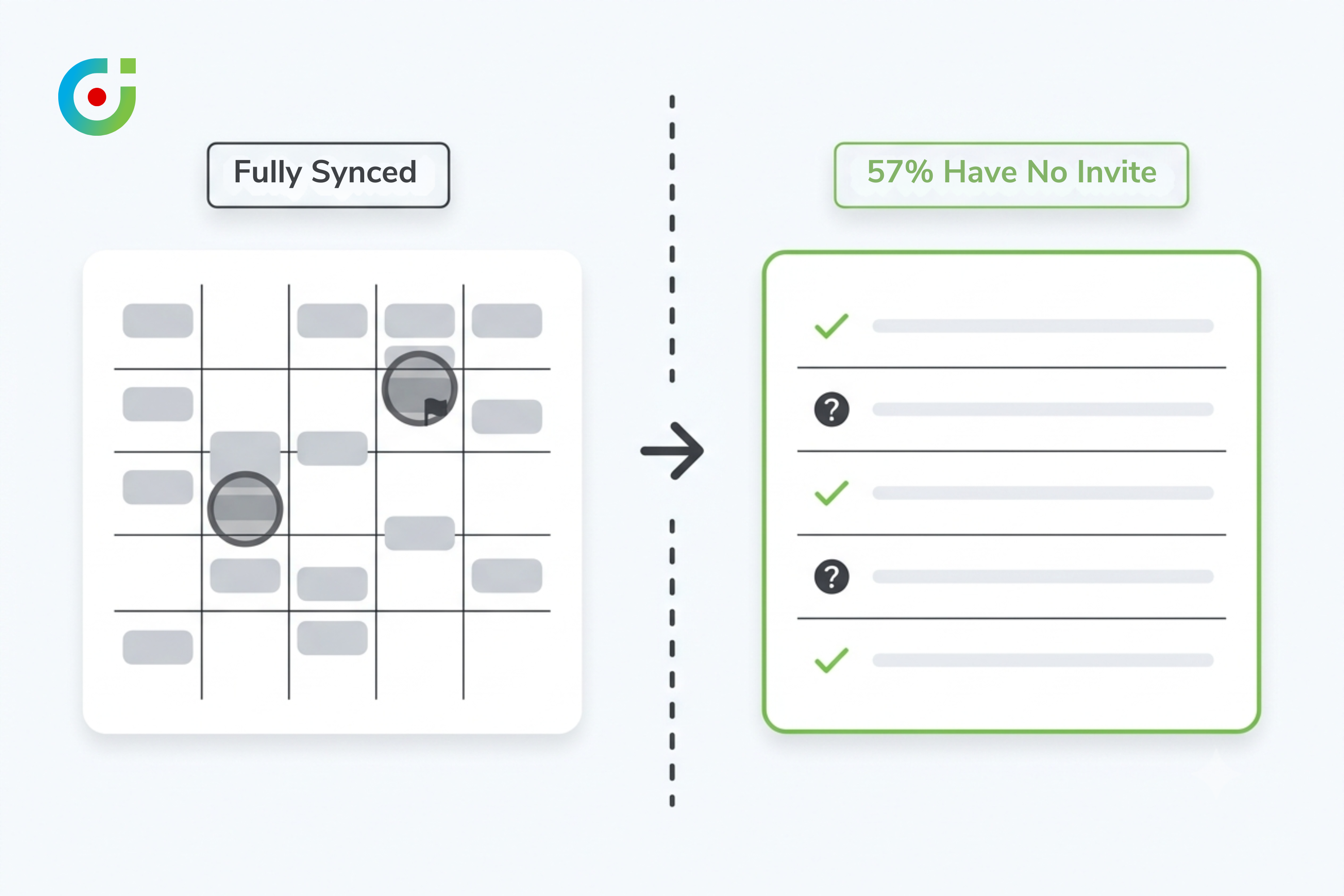
Here’s the specific evidence. Microsoft’s Work Trend Index, published in mid-2025, found that 57% of meetings now happen as ad hoc calls with no calendar invite at all. Nearly a third now span multiple time zones, up 35% since 2021. This is Microsoft’s own product telemetry, not a survey somebody ran to sell software. If sync had actually solved coordination, those two numbers should be heading down, not up.
They’re heading up.
A calendar that syncs faithfully with Outlook is still just a record of what already happened. Double-bookings still get through. A rep already stretched across three regions this week doesn’t get flagged. Half of this week’s meetings apparently never touched the calendar at all, and nothing in a synced setup was ever built to notice that. Sync handed every calendar a more complete history and nothing resembling judgment. Sit with that for a second, because it’s basically the whole argument.
A Dynamics 365 admin might reasonably ask: if sync isn’t the problem, why does my team still fight the calendar every week? Because sync solved a data-consistency problem, not a decision-making one, and those turn out to be very different things to fix. The calendar was never actually asked to decide anything. What it holds is a reflection of a decision somebody already made somewhere else, over email, on a Slack thread, in a phone call the CRM never heard about. Recording a decision and helping make one are two separate jobs, and that gap is exactly where the next generation of calendar tooling is aimed.
What the Data Actually Shows
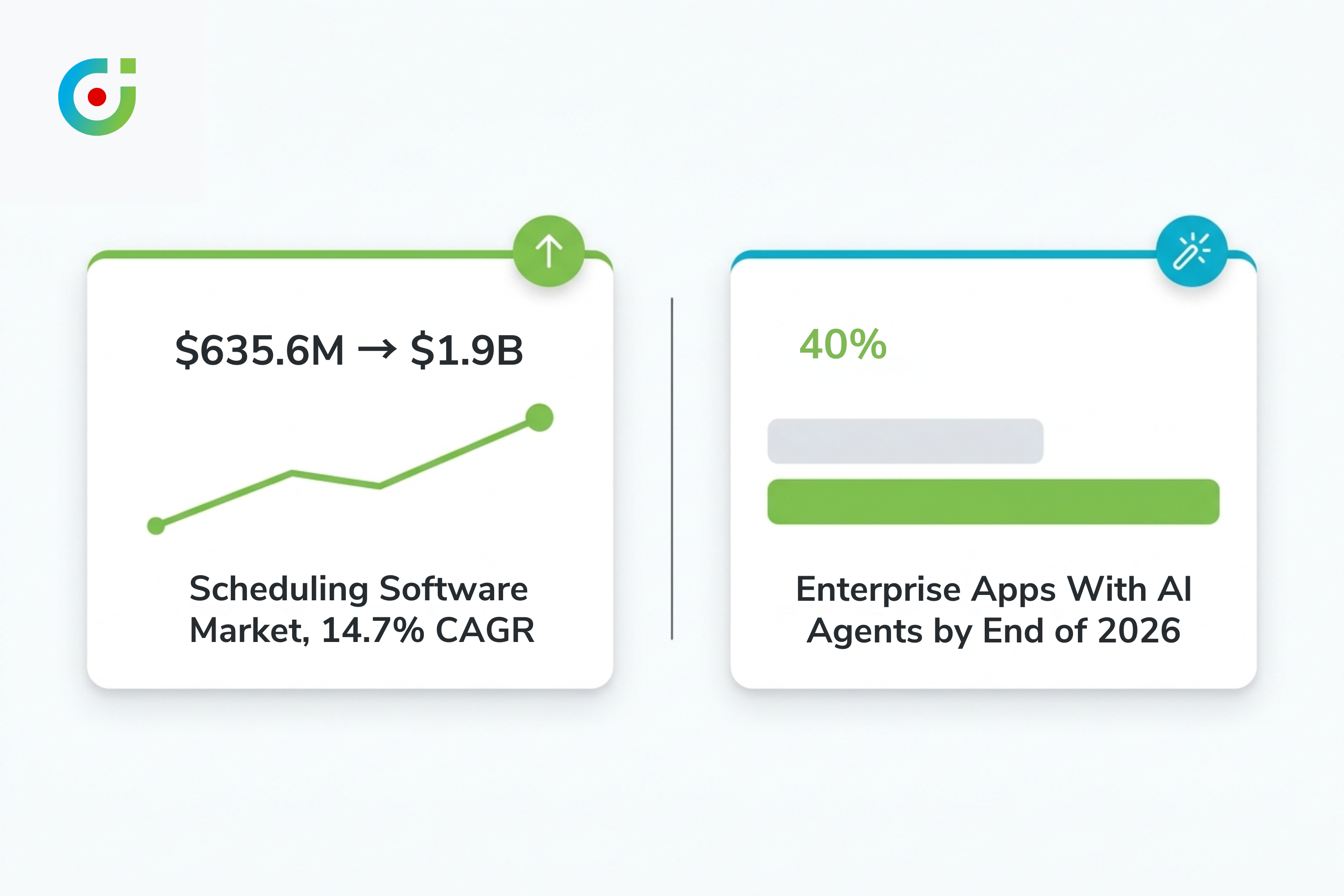
The investment data backs this up, in a way competitor content on this topic rarely bothers to cite. The global appointment scheduling software market is projected to grow from $635.6 million in 2026 to $1.9 billion by 2034, a 14.70% compound annual growth rate according to Fortune Business Insights. Sync itself is a decade-old capability at this point, so that kind of money isn’t chasing better Outlook connectors. It’s chasing something newer.
Gartner’s own forecast points at what that something is: by the end of 2026, 40% of enterprise applications will carry task-specific AI agents, up from under 5% in 2025. Eightfold in a single year isn’t a feature update, it’s a category moving under everyone’s feet. Scheduling was always going to be an early target for this, because at bottom it’s a constraint problem, not a display problem: who’s free, who’s already overloaded, what can move and what genuinely can’t. A calendar built to sync was never asked to work any of that out.
> Pro tip: Skip the vendor pitch and check your own scheduling backlog for the last month instead. Count how many “let me check and get back to you” replies show up across email and Slack. Every single one is a decision your calendar could have made on its own. It didn’t.
Line up the two data points and something shows up that neither source states on its own: the market has stopped rewarding calendars for syncing better. What it’s rewarding now is a calendar that resolves a conflict before a human has to notice it, catches overload before it turns into a missed appointment, and does both without anyone having to sit and read the grid first.
A Better Framework for Dynamics 365 Admins
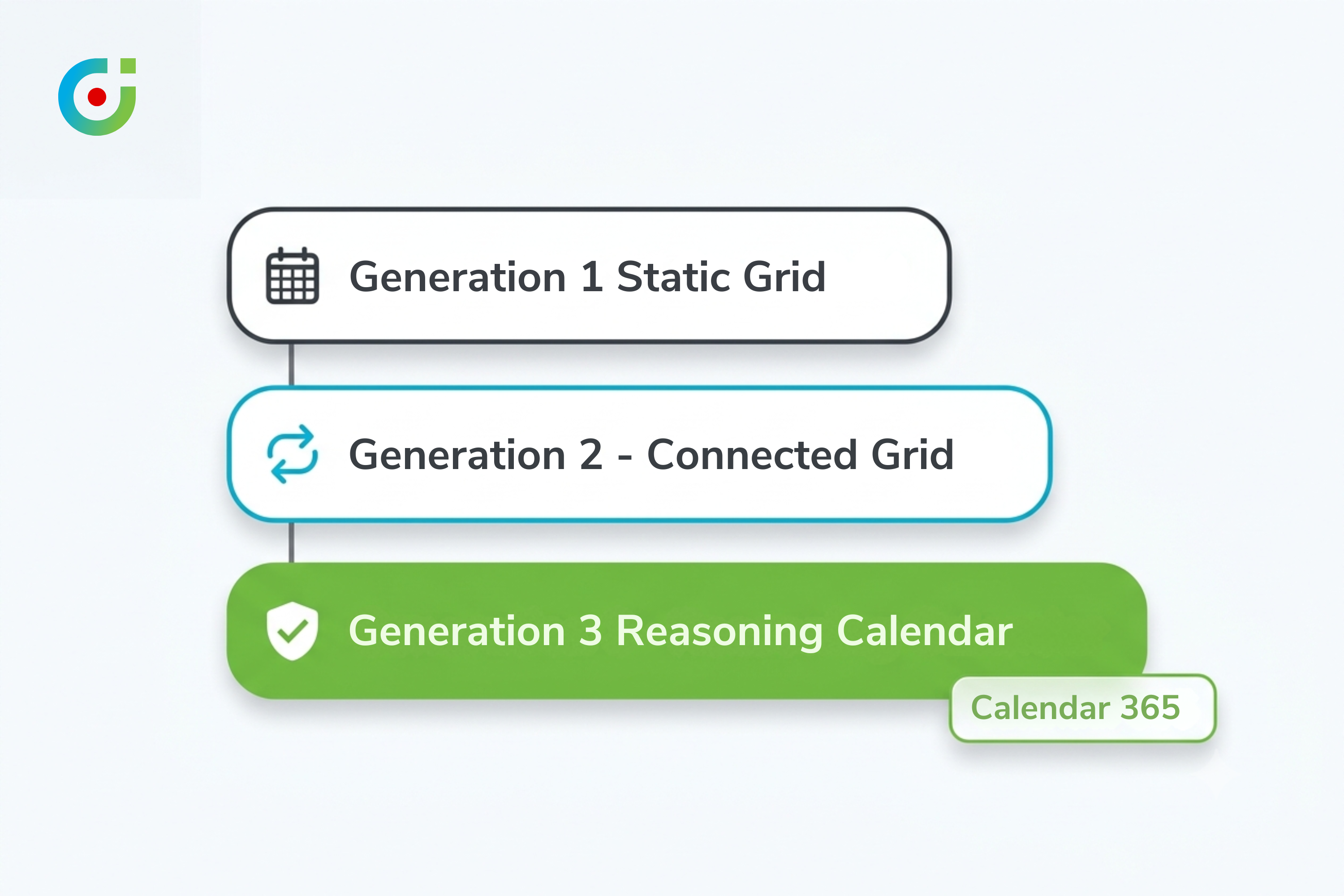
Feature comparison sheets don’t capture this shift well, because sync and smart scheduling look identical on a checklist. Both get a “yes” next to “Outlook integration.” The real dividing line is whether the calendar can act on CRM data without a human translating it first, which is worth turning into an actual test rather than a vibe: the Three-Generation Test.
Generation 1, the static grid
Shows what’s booked. Day view, week view, month view. That’s the whole feature set. No sync, no conflict detection, nothing tying it back to CRM records beyond whatever a person typed in by hand. A surprising number of legacy on-premise Dynamics deployments are still quietly running this exact setup, unflagged, because nobody’s audited the calendar since the original rollout.
Generation 2, the connected grid
This is the one almost everyone thinks they’ve already graduated to. Outlook and Google events flow into the CRM view, and CRM activities push back out, usually close to real time. Compared with Generation 1 it’s a genuine upgrade, and that’s precisely the trap: it’s good enough that most teams stop looking here, mistaking a synced grid for a finished project.
Generation 3, the calendar that actually reasons
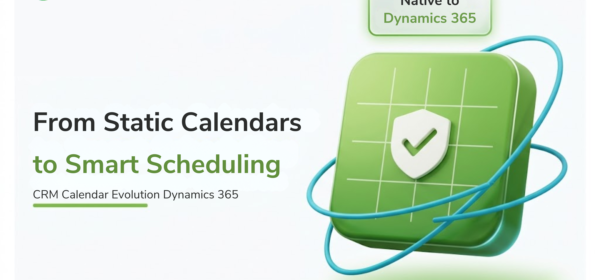
Here the calendar starts doing work instead of just showing it. A double-booking gets blocked before it happens, not flagged after the fact. Resource load and approved leave get checked before a slot is allowed to confirm. Resource calendars, customer calendars, entity calendars, none of them sit as separate grids a human has to cross-check by hand anymore, they behave as one system. Inside Dynamics 365, this is roughly what Calendar 365 is built to do: collision-free scheduling logic running across resource and customer calendars natively, checking availability and leave before a slot confirms rather than cleaning up after it doesn’t.
Nothing here is a sync feature with extra steps. It’s a different job than Generation 2 was ever asked to do.
Worked example. A sales operations manager can run this test on any Dynamics 365 calendar tool in about five minutes. Book two overlapping appointments for the same resource. A Generation 2 tool lets both through and syncs them both, faithfully, straight to Outlook. A Generation 3 tool stops the second one before it saves. That single move tells you more about which generation you’re actually running than a feature comparison page ever will.
Teams that run this test tend to ask two things next. First, how long does moving from Generation 2 to Generation 3 actually take? For an org already on Dynamics 365, most of the work is configuration rather than migration, and rolling Calendar 365’s collision-free logic across an existing resource and customer setup usually lands in one to two weeks, not months, with custom activity mapping as the main variable rather than the scheduling logic itself.
Second, and more honestly asked: what’s the ROI, without the best-case gloss on it? Rarely one dramatic number. Fewer double-booked reps, fewer phone calls made just to re-check availability, fewer appointments that quietly slipped through because nobody caught the conflict in time. Track scheduling corrections your ops team makes in a given week, then track the same number a month after switching. That comparison is the honest ROI measure, not a vendor’s case study.
What This Means for CRM Admins and Sales Ops
If your team spent last year treating “our calendar is synced” as a finished project, the data above says otherwise. The next 90 days are better spent on an honest audit than a purchase decision. Run the double-booking test against whatever Dynamics 365 calendar tool sits inside your instance right now, and note whether it catches the conflict before the save or after.
Then look harder at what your calendar can actually reason over. Does it know who’s on approved leave this week, or does a person still check that by hand before confirming a booking? Does it treat customer and resource calendars as one coordinated view, entity calendars included, or does someone still check three grids separately? Most Generation 2 setups answer “not yet” to nearly all of it, which isn’t really a failure so much as proof that the sync-first mental model most teams are still using sits a full generation behind where the market already moved.
A field sales director might ask a narrower version of the same question: does any of this change anything for reps who live on their phones, not the CRM UI? Indirectly, yes. When a calendar resolves conflicts and checks leave status before confirming a slot, a rep’s calendar stays trustworthy without the rep doing anything extra to keep it that way. The reasoning happens once, at the CRM layer, instead of getting re-litigated by phone every time someone wants to double-check availability. That drop in manual verification is the real payoff of Generation 3, not a nicer-looking grid.
Budget conversations tend to follow a predictable arc once a team actually runs the test. A Generation 2 sync gap reads as a minor inconvenience right up until someone adds up the hours spent manually re-checking availability the calendar should have resolved on its own. Line managers rarely see that cost on any report they read. It shows up as scattered minutes across a dozen people instead, never as one visible line item. Not glamorous. Genuinely expensive anyway.
The scheduling problem was never really about getting a calendar to sync. It was about getting a calendar to stop needing a human to interpret it before anything useful could happen. Sync answered a question worth asking a decade ago. What’s worth asking now is whether the calendar sitting inside your CRM can carry any of that judgment on its own, and for most Dynamics 365 teams, an honest answer to that beats another integration audit. Among the tools built specifically to carry that judgment natively inside Dynamics 365, rather than bolt it on as a synced overlay, Calendar 365 is one of the few.
See what a Generation 3 calendar actually looks like inside Dynamics 365.
Calendar 365 handles collision-free scheduling, resource and leave awareness, and Google/Outlook sync natively, with no separate login and no exported spreadsheets.
Sources:
- Fortune Business Insights, “Appointment Scheduling Software Market Size & Forecast”: https://www.fortunebusinessinsights.com/appointment-scheduling-software-market-108614
- Gartner, “Gartner Predicts 40% of Enterprise Apps Will Feature Task-Specific AI Agents by 2026, Up from Less Than 5% in 2025”: https://www.gartner.com/en/newsroom/press-releases/2025-08-26-gartner-predicts-40-percent-of-enterprise-apps-will-feature-task-specific-ai-agents-by-2026-up-from-less-than-5-percent-in-2025
- Microsoft WorkLab, “Breaking Down the Infinite Workday”: https://www.microsoft.com/en-us/worklab/work-trend-index/breaking-down-infinite-workday
- Calendar 365 on Microsoft AppSource: https://marketplace.microsoft.com/en-us/product/dynamics-365/biztechcs.all-in-one-calendar