Imagine you’ve got thousands of leads sitting in your CRM. A team of field reps scattered across different regions. And zero clarity on who should visit whom — or when. The data’s there, sure. But it’s flat. Nothing ties it together spatially.
Without geographic visibility, CRM data turns into a guessing game. Territories bleed into each other or get ignored completely. Reps drive right past qualified leads without knowing they’re five minutes away. Routes get cobbled together by hand, burning hours that could’ve gone toward actual selling.
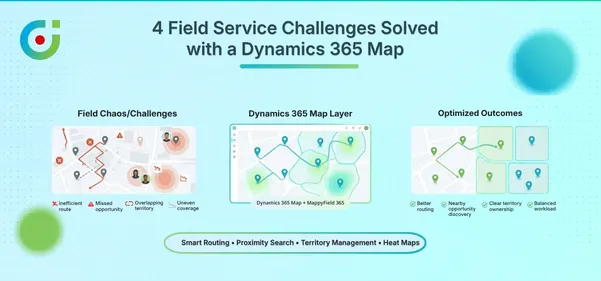
This is precisely why more businesses now want geo mapping apps inside Dynamics 365. Seeing where records physically sit on a map, then acting on that intel, shifts everything. Territory planning goes visual. Route creation gets smart. Field teams stop flying blind.
If you’ve been hunting for the best geo mapping app for Dynamics 365, something that tackles visualization, routing, territories, and tracking without juggling multiple tools, keep reading. We’re breaking down what actually matters and why MappyField 365 keeps surfacing as the go-to answer.
What Is a Geo Mapping App for Dynamics 365?
A geo mapping app for Dynamics 365 does what the name promises, it takes your CRM records and drops them onto a map. But the useful ones? They go way beyond basic pin-dropping.
At a minimum, a solid geo mapping app should let you plot leads, accounts, contacts, opportunities, and appointments using their address data. Beyond that, it should handle proximity searches (spotting records near a specific location), territory visualization, route planning, and accurate tracking for teams in the field.
Here’s where things get interesting, though. The real payoff shows up when all these capabilities sit under one roof. Tons of organizations try stitching together separate tools — one for mapping, another for routing, maybe something else for territory stuff.
This rarely works well, eventually data syncing doesn’t go well, and dashboards stop communicating. The operational headache slowly surpasses the efficiency gains that were initially promised. That’s exactly why businesses gravitate toward a single geo mapping app that covers the whole picture. One tool. One integration. One hub for everything location-related in your CRM.
And, MappyField 365 was built with this philosophy. It’s a comprehensive geo mapping app that connects with Dynamics 365. The solution handles everything, from visualization, territories, and routing, to scheduling and tracking, without ever leaving your CRM. No outside platforms. No awkward workarounds. Just location intelligence stacked directly on top of data you already own.
How a Geo Mapping App Works in Dynamics 365 (Powered by MappyField 365)
Once you see it running, the mechanics click pretty fast.
MappyField 365 grabs records from Dynamics 365 — leads, accounts, opportunities, appointments, or any custom entity carrying address fields — and throws them onto an interactive map. This isn’t some static screenshot. You can zoom around, apply filters, click into individual records, and take action straight from the map itself.
What makes this genuinely practical? Integration with your existing CRM views. Apply the same saved views and filters you’d normally use in Dynamics 365, and the map adjusts on the fly. Want just high-priority leads in a particular region? Filter like you always do. The map catches up instantly.
Security doesn’t get compromised either. MappyField 365 honors your Dynamics 365 permissions — users see only what they’re cleared to see.
And since field teams aren’t chained to desks, mobile access comes standard. Reps pull up mapped CRM data on their phones, hunt for nearby records, and navigate routes while moving between appointments. For anyone wondering how to access Dynamics CRM data on a mobile using a geo-mapping app — this is what it looks like in the real world.
Key Geo Mapping Features of MappyField 365
Saying MappyField 365 is a comprehensive solution to all your operational roadblocks is not some marketing bluff, and these features evidence the claim:
Geo Visualization of Dynamics 365 Records
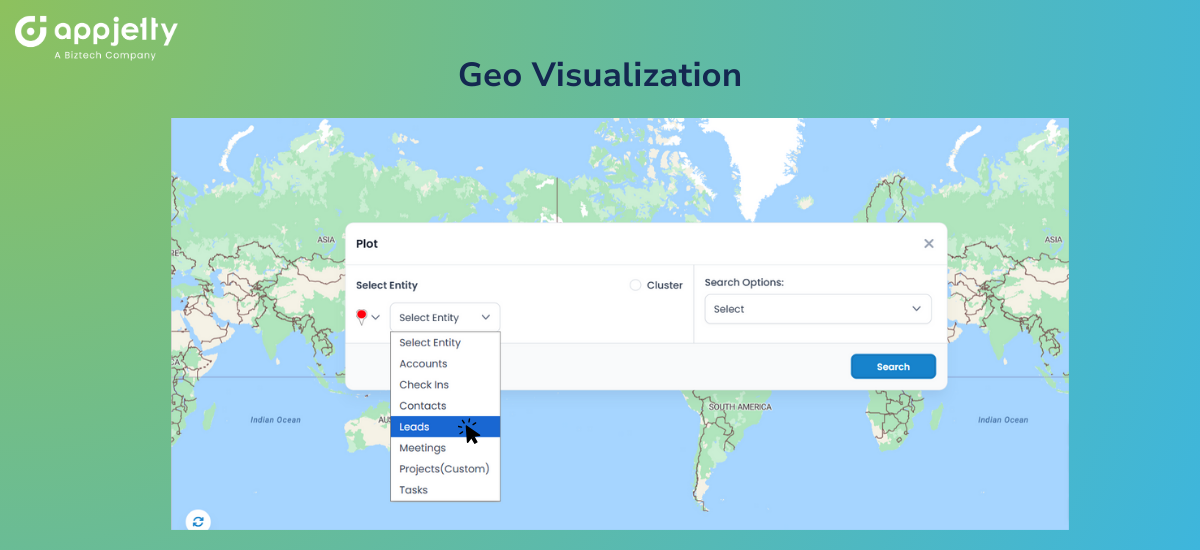
Every geo mapping app starts with visualization — and MappyField 365 handles this with serious depth. You can plot leads, accounts, opportunities, appointments, and custom entities using color-coded pins tied to record attributes. Want all open opportunities assigned to one rep? They’ll show up visually distinct from the rest.
When record density gets heavy in certain areas, clustering kicks in. Instead of pins piling on top of each other into an unreadable mess, you get grouped markers that fan out as you zoom closer. Small detail. Big difference when you’re wrestling with thousands of records. Think of it as the ability to create an image of Dynamics CRM records being plotted on a map using an app — but interactive and actually useful.
Territory Mapping & Assignment
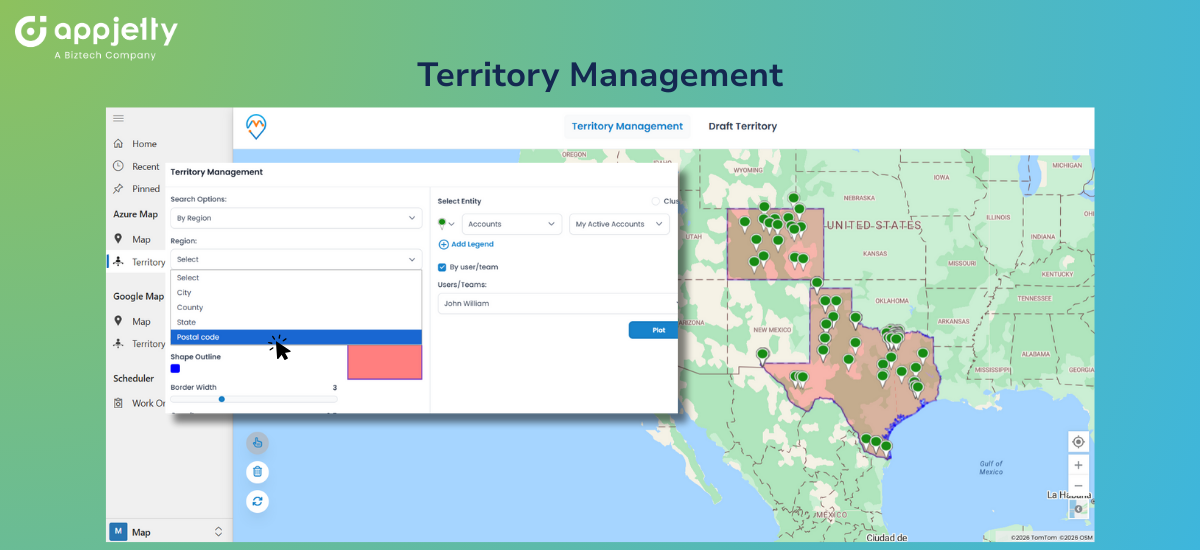
Territory management is one of the more complex tasks for many organizations. Manual map plotting is tedious, mistakes pile up faster than you realize, and visualization gets difficult.
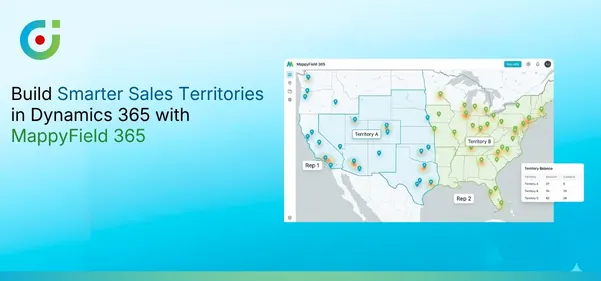
MappyField lets users create territories using postal codes, states, regions, or proximity, etc., based on the filters set by you. It helps you visualize your CRM data on a map, with every task marked on the region or territory as defined by you in the CRM.
This is especially useful in the case of multi-team collaboration, as information accessibility becomes easier. So every team can see the other team’s allocation and plan forward accordingly. Additionally, this integration allows you to visualize and manage multiple territories at once.
For example, if team1 is assigned territory A, team2 will be able to see that and approach territory B instead of everyone going on either one of the territories and leaving the other one stranded. As for team juggling complex regions, MappyField 365 can serve as a geo-mapping app to manage multiple territories for Dynamics 365 records.
Proximity Search & Nearby Discovery
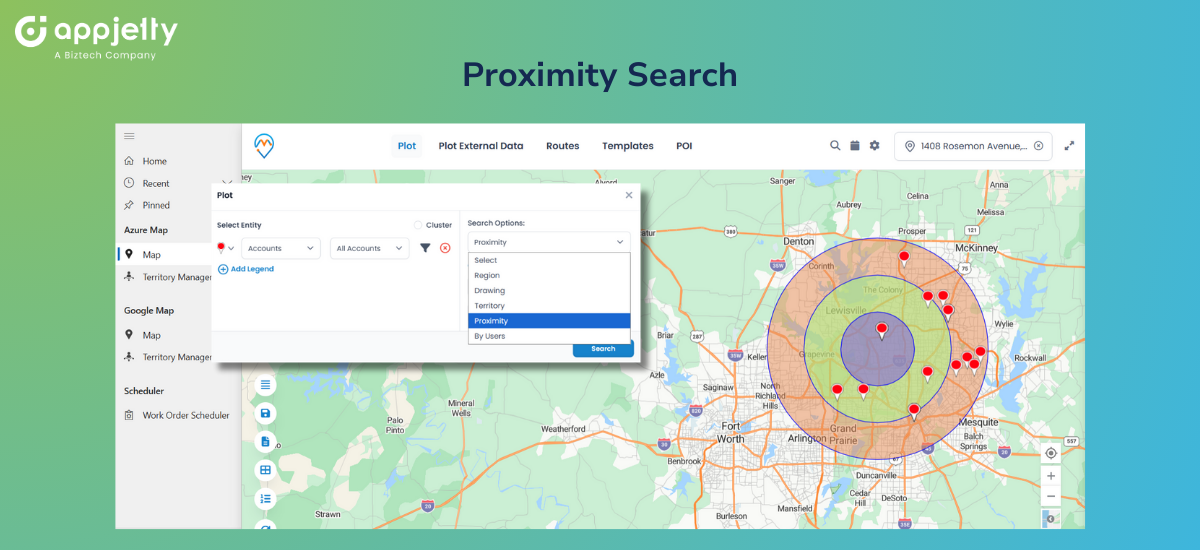
Field reps constantly hit gaps between appointments or land in an area with unexpected free time. The obvious question: who else is close by?
MappyField 365 packs proximity search that lets users find nearby leads in the Dynamics 365 map, along with accounts and appointments, all within whatever radius you set. A rep wrapping up a meeting can instantly spot qualified prospects within ten miles and flip a dead hour into a productive visit.
Planning benefits too. Trying to find leads near your business location or a key account? Radius search pulls those records without manual hunting. Consider it the only geo mapping app to find nearby appointments and create the shortest travel plan.
Route Optimization with Live Traffic
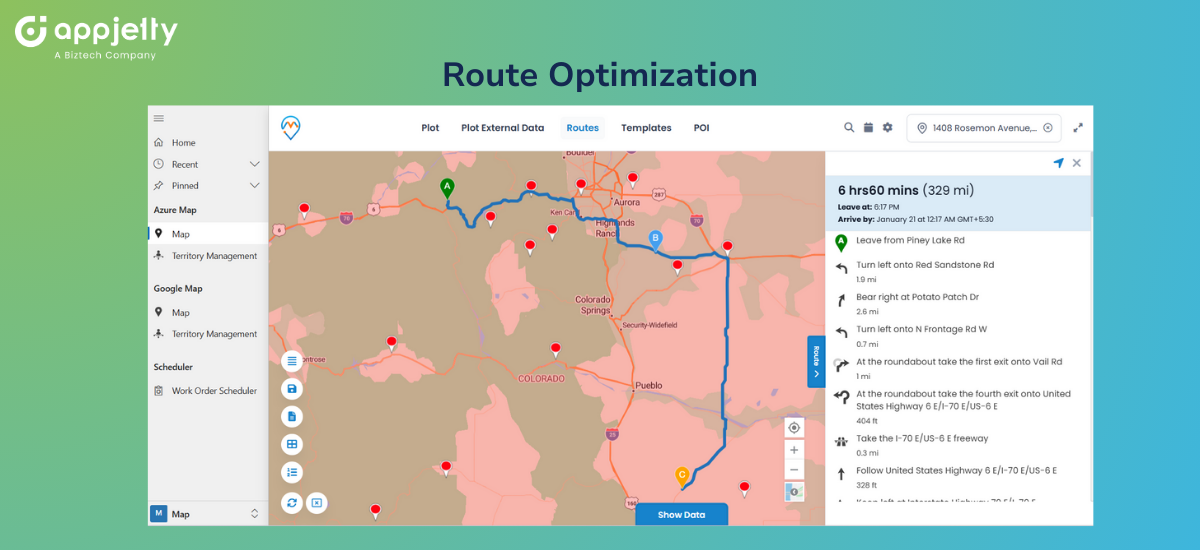
Planning routes by hand eats time. Doing it properly — factoring in traffic patterns, distances, appointment windows — borders on impossible without software backing you up.
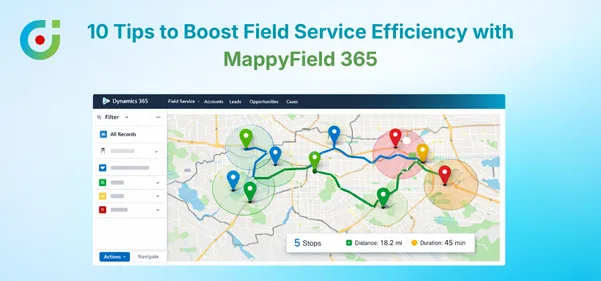
MappyField 365 works as the best route optimization tool in Dynamics 365 and a route optimization integration in Dynamics 365, letting you build multi-stop routes and manage them by distance or time using live traffic feeds. Need to create a multi-stop route in Dynamics 365 CRM for tomorrow, optimize distance/time using live traffic? Build it in minutes, drag stops around to reorder, and let the system crunch the most efficient path.
For teams covering sprawling territories, you can plan multi-day appointment spans with route maps in Dynamics 365 CRM — mapping out a full week’s travel ahead of time. Planning that used to chew up hours now wraps up in minutes. If someone asks you to suggest just a geo-mapping app to manage routes in Dynamics 365, this is the answer.
The system can also auto-schedule optimized routes for field reps in Dynamics 365 CRM, eliminating the guesswork from daily planning entirely.
Accurate Geo Tracking
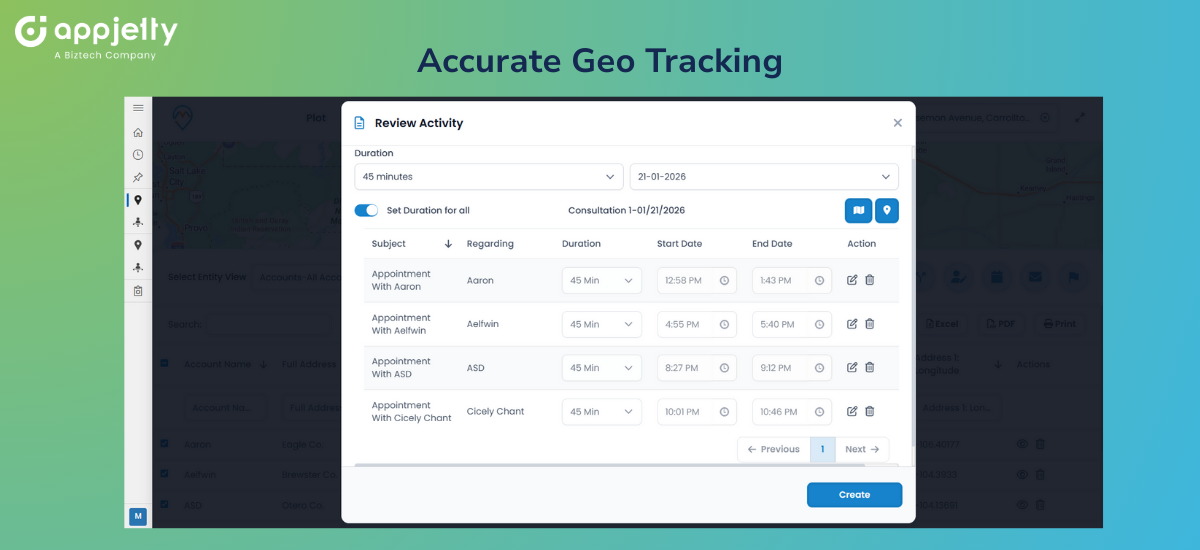
Managers overseeing scattered teams need visibility. MappyField 365 lets you track the sales team in near real time within Dynamics 365. See where reps currently are, monitor daily movement patterns, verify coverage — all without chasing people down for status updates.
For anyone searching for a geo-mapping app for Dynamics 365 to track traveling sales reps regularly, this delivers exactly that. Not micromanagement. Just accurate information when decisions need to be made, or leadership starts asking questions.
Mobile Geo Mapping Access
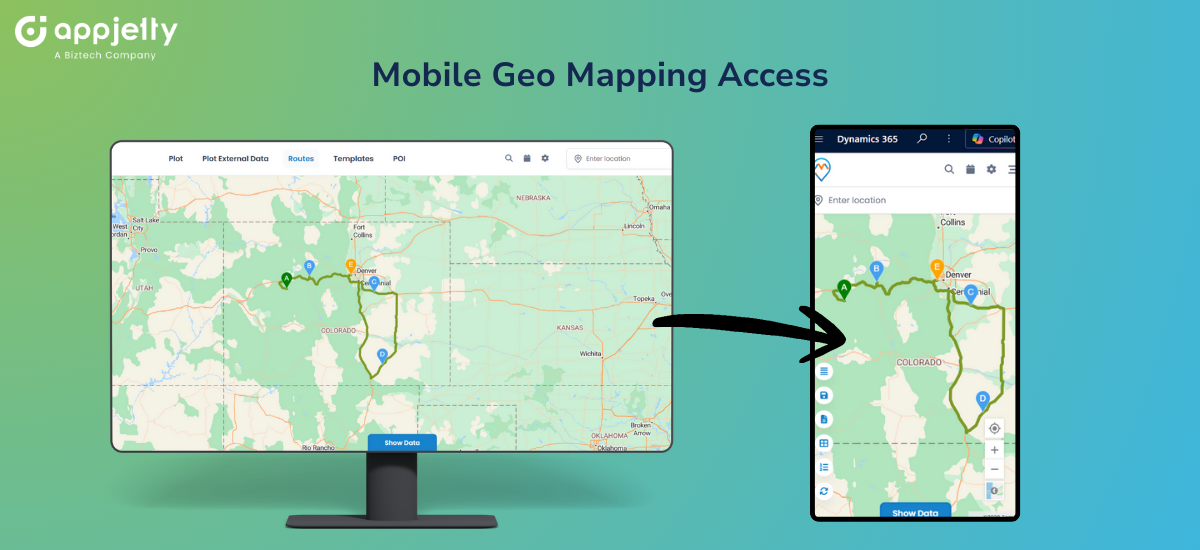
Field work doesn’t happen at desks. MappyField 365’s mobile functionality means reps access mapped Dynamics 365 data wherever they happen to be. Search for nearby records. Pull up optimized routes. Check in at client sites. Update CRM data. All from a phone.
It functions as a geo-mapping app to manage field-rep appointments for Dynamics 365 records while they’re actually in the field—not stuck in an office.
Benefits of Using a Geo Mapping App in Dynamics 365
When location intelligence lives inside your CRM instead of floating next to it, benefits stack up quick.
- Complete geographic visibility means no more guessing where opportunities cluster or where coverage has holes. Patterns that spreadsheets bury become obvious on a map.
- Faster insights happen because visual processing just works more quickly. Scanning a map takes seconds. Scrolling through hundreds of grid rows takes forever and shows you less.
- Reduced travel time and costs naturally follow when routing is optimized. Reps driving efficient paths instead of zigzagging across territories means lower fuel bills and more hours selling.
- Improved territory balance becomes achievable when you can actually see boundaries and workload spread visually. Rebalancing shifts from a theoretical exercise to actionable task.
- Higher productivity for field teams comes from stripping away friction — no more DIY route planning, no more missed nearby prospects, no more guessing which leads justify the drive.
Why MappyField 365 Is the Best Geo Mapping App for Dynamics 365
Mapping tools exist in abundance. What separates MappyField 365 is focus.
It was designed exclusively as a geo mapping app for Dynamics 365. Tight integration follows from that. So does respect for CRM security models and a user experience that feels native rather than stapled on as an afterthought.
It also bundles what competitors split apart. Visualization, territory management, route optimization, scheduling, tracking — all living in one tool. You’re not licensing five different products and praying they cooperate.
Route optimization and territory automation particularly shine here, tackling complexities that lighter mapping tools skip entirely.
And because it’s built for people who actually use CRMs daily, adoption stays manageable. Teams don’t need weeks of training. They pick it up and actually use what they’ve been given.
Organizations scaling up will appreciate that MappyField 365 handles large datasets and expanding teams without choking. Built for real CRM environments, not tidy demo scenarios with a handful of test records.
For anyone looking to get advice on the best geo-mapping apps for Dynamics 365, the recommendation is straightforward: MappyField 365 covers the ground that others leave gaps in.
Simplify Dynamics 365 with One Geo Mapping App
When your CRM data lacks geographic context, you’re leaving money sitting on the table. Territories stay chaotic. Routes stay wasteful. Field teams stay reactive when they could be strategic.
A proper geo mapping app rewrites that story. And for Dynamics 365 users hunting for a single solution spanning visualization, territories, routing, scheduling, and tracking — MappyField 365 delivers the full package.
No patchwork of disconnected tools. No outside platforms demanding separate logins. Just location intelligence living where your data already exists.
Curious what geo mapping could unlock for your Dynamics 365 setup? Explore MappyField 365’s features, book a personalized demo to experience it yourself.