Anyone who’s worked with Dynamics 365 long enough knows how easy it is for the information to get scattered across different modules. Even though Dynamics is a powerful CRM platform, but its native calendar only supports activity entities (it doesn’t include custom and system entities) which limits the visualization capabilities.
Although Dynamics 365 includes a native calendar, it offers limited flexibility for visualizing both custom and system entities, making data visualization challenging. The teams often switch between grids, dashboards, and activity lists—leading to missed deadlines, unclear workloads, and scheduling conflicts.
The solution requires one additional element to bring everything together — a connecting link or plugin. Something that will extend your Dynamics 365 calendar capabilities, and that’s exactly what Calendar 365’s entity calendar is about.
It is a plug-in solution that offers a centralized, customizable calendar for your teams to visualize all the tasks, deadlines, and who’s working on what in one space. No more guesswork or scattered information, just streamlined processes.
What Exactly is Entity Calendar in Calendar 365?
The Entity Calendar is a module within Calendar 365 that extends the native Dynamics 365 calendar, adding support for multi-entity scheduling, enhanced data visualization, and more flexible views. It enhances the standard offerings, adds flexibility, and improves data visualization for the users.
The genuinely useful part? Any entity with configurable ‘Start Date’ and ‘End Date’ fields — whether standard or custom — can be added to your calendar once the administrator maps them in Calendar 365’s configuration. This includes leads, cases, campaign tasks, HR onboarding records, and project milestones. Whatever drives your deadlines, you can implement calendar views for it.
Your team can see tasks, appointments, and custom entity records side by side, and filter by owner, status, and priority. Flip between daily, weekly, monthly, agenda, or timeline views, Gantt, and Top-Down resource views based on what you’re trying to figure out.
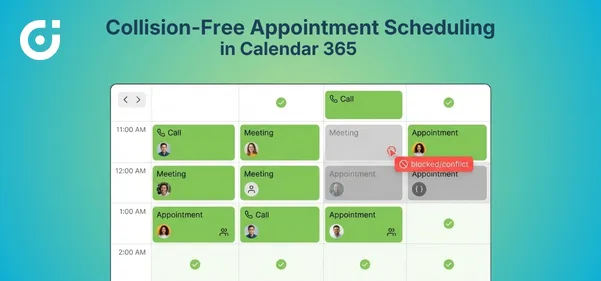
The calendar offers conflict management that can either warn users or prevent scheduling entirely if a resource is already booked, based on admin-defined settings. This eliminates the chances of overbooking a resource.
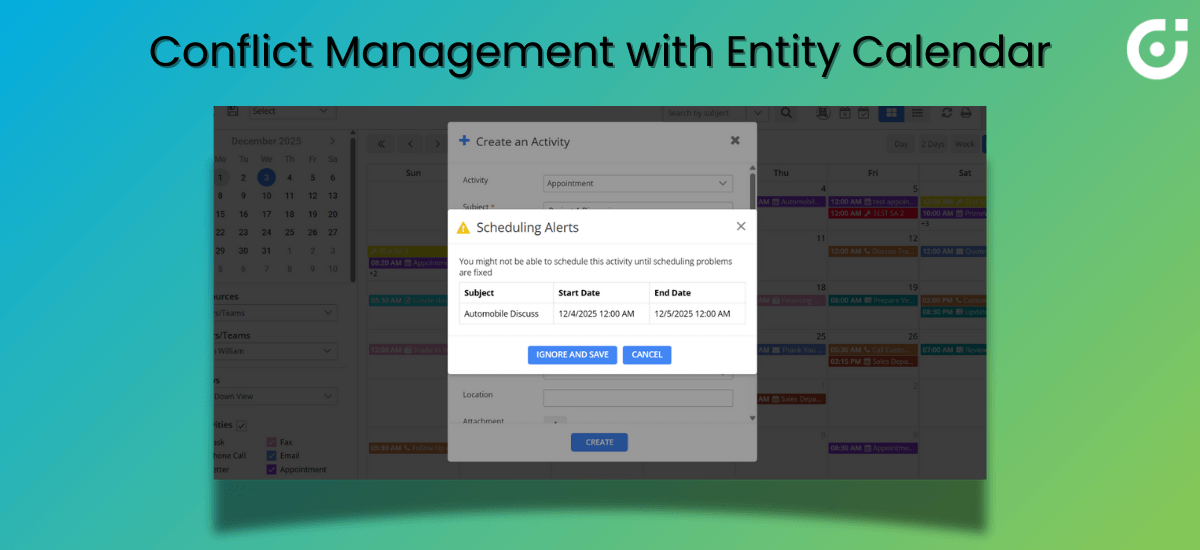
Native Dynamics 365 Task Management vs. What Calendar 365 Adds
Out of the box, Dynamics 365 gives you decent activity management. Tasks, appointments, phone calls—they’re all there. Timelines and activity lists let you track stuff. For straightforward CRM work, it does the job.
Here’s where things get messy, though.
Say you need Dynamics 365 task management spanning multiple entities. Or you want your entire team’s schedule visible at a glance. The native tools just weren’t built for that. Custom entities don’t show up in any visual scheduling format. And there is no visibility about who on your team actually has bandwidth this week versus who’s drowning.
Calendar 365 resolves these operational gaps. You get a calendar that works with any entity carrying start and end date fields. Color-coding by owner, priority, or status makes workload distribution obvious at a glance. View options—month, week, day, agenda, or timeline —whichever works best. The entity calendar shifts Dynamics 365 from a simple record repository to an actual planning tool.
Some decision-makers add that Forrester already considers Microsoft Dynamics one of the leading CRM solutions, which significantly contributes to an organization’s growth. And, we have invested heavily in Dynamics 365 dashboards. How can Calendar 365’s entity calendar add more value than that?
Dynamics 365 is no doubt an excellent CRM, but its dashboards excel at showing summaries and metrics. They answer “how many” and “how much.” But they aren’t able to answer “when” and “who’s handling what this week.” Entity Calendar tackles the scheduling visibility piece—something dashboards simply aren’t designed to address. If your teams live and die by deadlines, dashboards alone won’t cut it.
Core Features That Make Entity Calendar Work
Here’s how the Calendar 365 entity calendar extends the capabilities of the Dynamics 365 calendar and enhances your workflow:
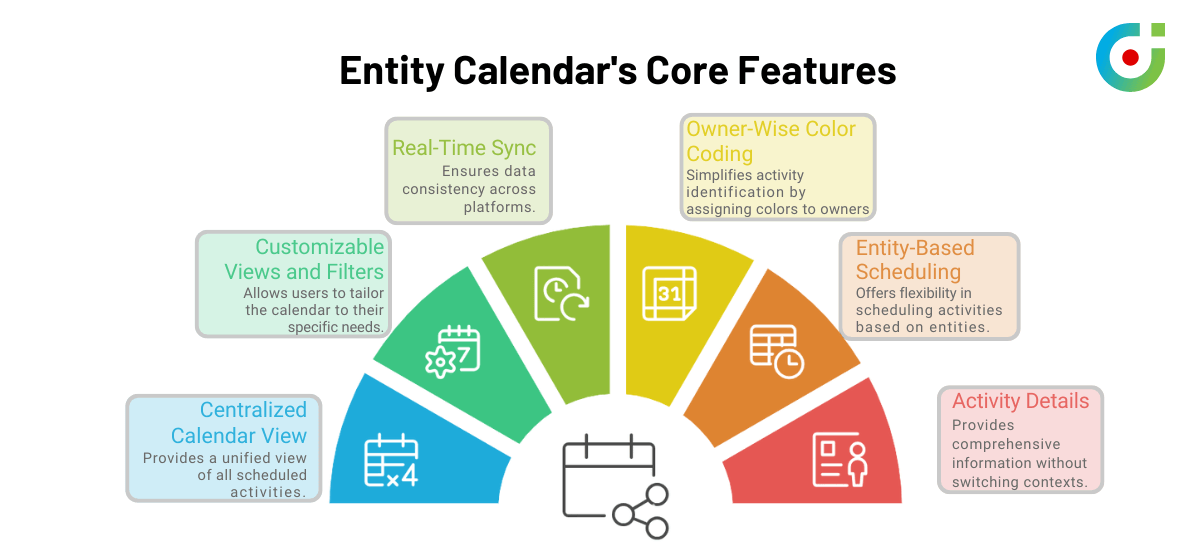
Centralized Calendar View
Tasks, meetings, activities, custom entity records—all of it lands in one spot. Instead of bouncing between modules piecing together your week, you can open the calendar, and everything’s there. For organizations that take Dynamics 365 task management seriously, this consolidation is a game-changer.
Customizable Views and Filters
Sales cares about opportunity close dates. HR focuses on onboarding timelines. Marketing tracks campaign deadlines. Entity Calendar will allow each team to apply filters either by entity type, status, priority, or business unit at once—so they see exactly what matters to them. Nothing extra will clutter the view.
Real-Time Sync with Your CRM Data
Someone creates a record in Dynamics 365? Records appear instantly on the calendar because Calendar 365 reads directly from Dataverse in real time—without any sync delay. No manual exports. No waiting around for overnight syncs. Everyone works with well-informed knowledge. No more guesswork, everything gets visually aligned for you with a few clicks.
Owner-Wise Color Coding
You can assign colors based on status, priority, entity type, or any custom field, depending on admin settings. Glance at the calendar and instantly spot distribution patterns—who’s slammed, who’s got room for more, and whether assignments make sense. Managers focused on Dynamics 365 resource scheduling can assess situations in seconds instead of asking around.
Entity-Based Scheduling Flexibility
Tracking leads? Cases? Campaign tasks? Some custom HR workflow nobody else uses? Configure which fields drive start and end times for each entity. Different departments can implement the calendar in their own way, matching how they actually operate.
Comprehensive Activity Details
Once CRM data is recorded in the entity calendar, you can hover over events for quick information such as the title, owner, and due dates, without having to click into the full record. You can click to open a configurable Quick View or Quick Create pop-up, or open the full CRM form depending on admin settings, so you stay in flow instead of losing your train of thought every time you need details.
Industry Applications: Where Entity Calendar Solves Real Problems
For those skeptical about how the entity calendar can address their industry-specific gaps, here are some popular use cases across various domains:
IT & Software Development
Dev teams running multiple projects simultaneously deal with constant overlap headaches. Entity Calendar provides project managers with a visual breakdown of timelines and individual workloads. So they can spot the collision before it derails their sprint.
Marketing Agencies
Campaigns have a million moving pieces—content drafts, design reviews, social scheduling, reporting deadlines. You miss one approval date and the whole timeline shifts. Entity Calendar puts every task and owner in the same view. Teams can implement consolidated campaign timelines instead of chasing updates across spreadsheets.
Human Resources
Interviews, training sessions, and onboarding tasks—HR constantly juggles scheduling nightmares. Double-bookings happen. Sessions get missed. Entity Calendar creates that visual schedule where conflicts become obvious before they cause problems. Visibility turns possible conflicts and juggling into an organized workflow.
Sales Teams
Client meetings, follow-up calls, proposal deadlines—multiply that across dozens of accounts and things slip through cracks. Entity Calendar gives reps a central view to implement better follow-through. Consistency improves. Deals stop falling through because someone forgot to call back.
One of the commonly asked questions from decision makers that we have encountered is, “We’re a small operation. Isn’t this overkill for teams that aren’t enterprise-sized?”
To which our experts answer that smaller teams actually benefit more in some ways. When you don’t have backup people to catch dropped balls, visibility becomes critical. One missed deadline hurts more when there’s no safety net. Setup involves importing the Calendar 365 solution, assigning Calendar 365 security roles, and configuring entity mappings—making it easy for even small teams to implement without a complex rollout
Closing Lines
Calendar 365’s Entity Calendar fills a real gap in Dynamics 365, unified visual scheduling across all your entities. Tasks, activities, custom records—they all land in one clear interface. Planning improves. Coordination gets easier. Resource management stops being guesswork.
If deadline tracking, workload visibility, and cross-team coordination have been difficult for you to manage with Dynamics 365 alone, then you should give this plugin a try. See how it resolves your organization’s unique management challenges and improves workflow.