The global field service management market is expected to grow to USD 9.17 billion by 2030 (source). This is all thanks to the rapid digital transformation and adoption of systems like Salesforce and Microsoft Dynamics.
However, here’s something that field service teams running on Microsoft Dynamics 365 understand: that as strong as Dynamics 365 is for data and process management, many teams still lack real-time, map-based visibility into jobs and technicians within standard views. Dynamics 365 streamlines internal operations, but field updates often depend on technicians completing jobs and then logging details—so visibility can lag unless teams use mobile updates and map-driven tools.
Lack of visibility makes it difficult for team leads to see what field agents are doing. As for the field agents, the lack of accessibility makes it difficult to navigate across different locations. This gap also shifts customer service from more focused to generic, which doesn’t reflect well on the brand image.
The gap is evident and blocks the otherwise seamless process. And this is what MappyField 365 aims to resolve. It is a plugin for Dynamics 365 that layers location intelligence and visual routing on top of your CRM data. It feels like an extension of your CRM, making adoption easy and the process streamlined. No more confusion and missed opportunities, just smarter scheduling and improved processes.
The Challenge: Why Field Service Scheduling Gets Messy
Managing large territories with multiple teams and thousands of service requests sounds straightforward until you’re actually doing it. Dynamics 365 Field Service handles the data side well enough. But its standard tools aren’t able to visualize the said data geographically.
Dispatchers end up juggling time slots, technician availability, and locations without anything visually tying it all together. When Dynamics 365 map scheduling is missing, decisions become educated guesses at best.
What’s typically absent:
- A single map showing jobs and technicians together
- Any kind of proximity-based planning
- A straightforward method to cluster nearby work orders
- Territory segmentation that keeps routes from zigzagging all over
The fallout looks familiar. Technicians drive longer than they should. Calendars have weird idle gaps next to overloaded stretches. Rescheduling becomes a daily ritual. Dispatchers spend hours cross-checking addresses instead of actually optimizing anything. Rather than focusing on field service route optimization, planning teams end up firefighting conflicts all day.
MappyField 365 can implement the map intelligence that’s been missing from Dynamics 365 field operations. Now, many of you might think, “We’ve already got Dynamics 365 for scheduling. Why bolt on another tool when we could just customize what’s there?”
The thing is, your CRM already has the data—addresses, work orders, technician info. What it doesn’t have is a way to see all of that geographically. MappyField 365 can implement map-driven planning without ripping out your existing setup. It works with your current entities, fields, and security roles. Dispatchers just get to plan using actual locations, distances, and territories rather than scrolling through grids.
Building that kind of geo-aware scheduling layer from scratch inside Dynamics? That’s a major custom development project, and MappyField’s field service scheduling solution is designed specifically for this.
What MappyField 365 Actually Does for Field Service
MappyField 365 extends Microsoft Dynamics 365 capabilities with map-based planning, route optimization, and territory visibility. Instead of bouncing between record views, spreadsheets, and route planning, dispatchers can bring that data from the CRM to a single interactive map that reflects how the real world works—distances, driving routes, service regions.
Here’s what teams can do with it:
- Plot any Dynamics entity on a map—work orders, accounts, leads, or custom entities
- Filter jobs by region, technician skill, job priority, or territory
- Spot nearby jobs using radius and proximity scheduling
- Drag work orders straight from the map into technician schedules
- Compare technicians to figure out who fits which job
- Build routes that actually minimize travel
- Reshuffle things fast when urgent tickets pop up
The plugin integrates seamlessly with Dynamics 365, which streamlines the adoption of these features. Your team gets to utilize advanced features without much hassle. Data remains in Dynamics 365, and access aligns with existing security roles and permissions, while MappyField helps your team visualize them in map view and calendar instead of a series of spreadsheets.
Use Cases That Actually Change How Field Operations Run
Here are some real-life scenarios that showcase MappyField 365’s versatility as a solution that resolves operational headaches.
A. Making Map-First Scheduling the Default
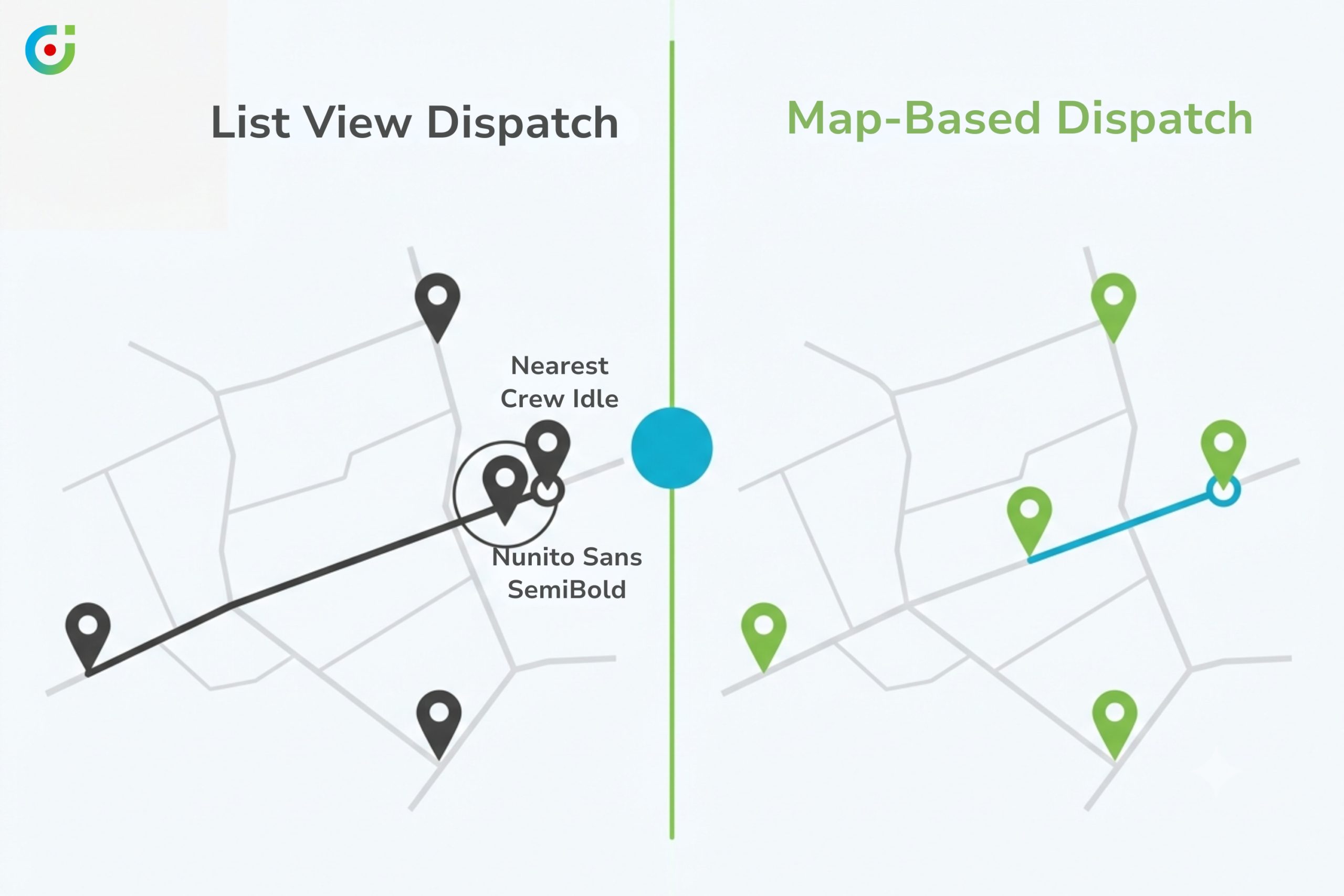
The problem: Scheduling from a list is like trying to navigate a city using only street names. Dispatchers see work orders, addresses, and time slots—but nothing showing how those locations connect to each other spatially. Decision-making slows down. Jobs get assigned out of sequence or to technicians who’ll spend half their day driving.
What MappyField does: MappyField 365 can implement a centralized map plotting technicians, customers, and jobs in one view. Click any pin, see job details, and drag it into a technician’s schedule. Done.
Filters narrow things down—today’s active orders, specific territories, high-priority jobs. Scheduling decisions happen visually, based on where stuff actually is, not based on memory or manually typing addresses into Google Maps.
What changes:
- Planning moves faster
- The day’s work becomes visible at a glance
- Jobs match technicians and regions more sensibly
- Workloads balance out across the team
For Dynamics 365 users, the map becomes an everyday planning surface rather than something someone pulls up occasionally.
B. Clustering Jobs by Proximity
The problem: Technicians get assigned jobs scattered across town. One appointment here, another 40 minutes away, a third back near where they started. Travel time balloons. Billable work shrinks. Nobody planned it that way—it just happened because the scheduler couldn’t see the geography.
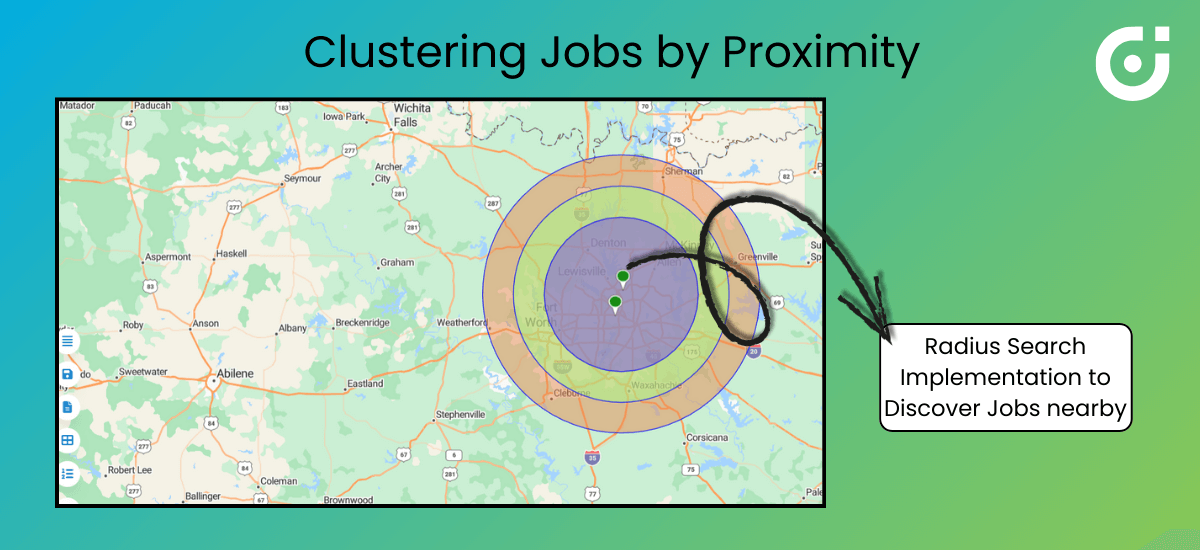
What MappyField does: Planners can implement radius search and nearby job discovery using their existing CRM data. They can pick a technician or a customer location to instantly see which open jobs fall within, say, a 15-minute drive. Cluster those together into a logical route.
Rather than randomly filling a technician’s day, dispatchers can implement field service route optimization by grouping nearby jobs into geographic sequences. Works especially well for preventive maintenance runs, collections, or recurring visits.
What changes:
- Travel shrinks
- Technicians complete more jobs per day
- Resource utilization climbs
- SLA adherence improves because techs spend time working, not driving
MappyField 365 becomes the proximity scheduling engine dispatchers never had—a tool that understands geography, not just time.
C. Handling Emergencies Without Wrecking the Schedule
The problem: Morning plan looks solid, until an emergency work order hits. Now the dispatcher needs to figure out which technician is closest, who’s least disrupted by a sudden change, and how to reshuffle without destroying everyone else’s routes. Standard Dynamics views don’t combine urgency, availability, and location in one place.
What MappyField does: MappyField 365 can implement real-time views mixing job priority with technician proximity. Filter for emergency tickets. See them on the map alongside where each technician currently sits in their route. Color-coded pins flag priority levels. Map overlays show expected locations.
Assign the urgent job to whoever’s nearest and least impacted. Preventive tasks get nudged, not nuked. Customers with critical issues see faster responses.
What changes:
- Faster reactions to breakdowns
- Planned maintenance survives mostly intact
- Less panic on the schedule board
- Dispatchers make real-time calls with confidence
Dynamics 365 map scheduling shifts from static to adaptive, bending with reality instead of breaking.
Seeing your own challenges in these scenarios? Maybe it’s time to connect with our team and see for yourself how MappyField 365 resolves a majority of your operational complications.
D. Filtering for Skills, Job Types, and Territories
The problem: Proximity isn’t everything. Technicians need specific certifications, product expertise, and territory permissions. Without proper filters, schedulers have to cross-check qualifications for every assignment manually. Slow. Error-prone. Annoying.
What MappyField does: MappyField 365 can solve this by allowing planners to use CRM data and filter technicians and jobs by skillset, job type, region, or priority directly on the map, ensuring the right technician is assigned every time.
MappyField 365 can leverage the data in your CRM and offer advanced filtering directly on the map. This will allow dispatchers to narrow results by technician competencies, job categories, region, customer priority, or your custom fields from Dynamics 365.
Only technicians qualified for a specific job type within the right territory even appear. Compliance stays intact. Location intelligence still drives the decision.
What changes:
- First-time fix rates go up
- Fewer rescheduled visits from skill mismatches
- Clearer workload segmentation for planning and reporting
This is where MappyField 365 acts like a genuinely smart field service scheduling solution—geography, skills, and priorities all visible in one place.
E. Map and Calendar Working Together
The problem: Flipping between a calendar tab and a map tab creates context gaps. Dispatchers know where jobs fit in time, or where they sit geographically—but rarely both simultaneously.
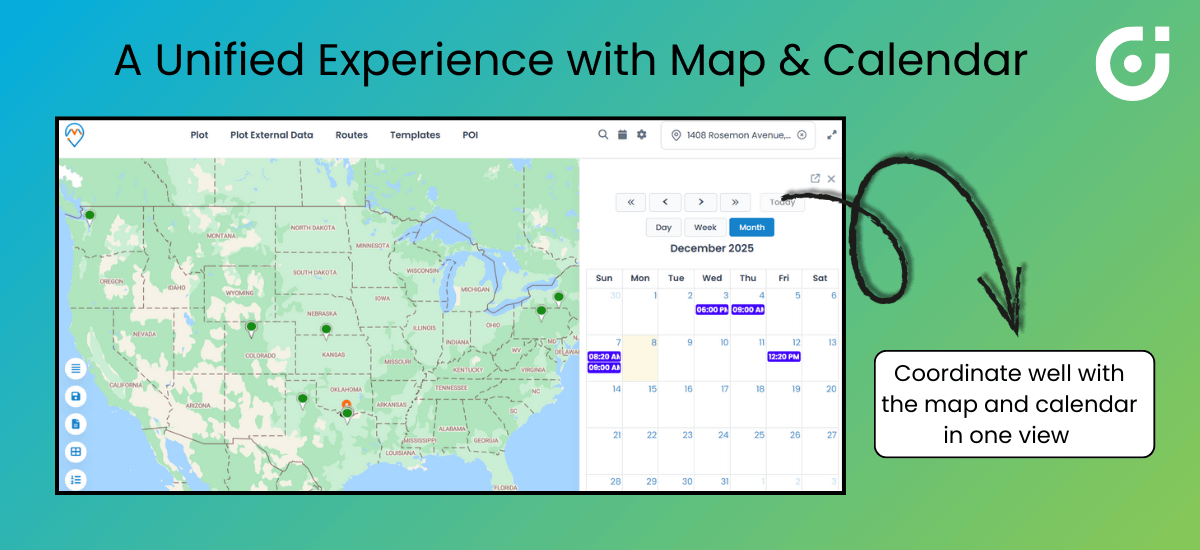
What MappyField does: MappyField 365 can implement a unified experience where the map and calendar coordinate. Dispatchers can view technician schedules and job locations in one layout. Drag a work order from the map, drop it into an open time slot.
That combination—visual geography plus time availability—shows whether a technician can realistically cover assigned jobs based on distance and route order. Not just whether the slot is free.
What changes:
- Schedules reflect actual travel conditions
- Full visibility of routes and time commitments
- Planning feels intuitive rather than fragmented
Dynamics 365 users can implement this to stop over-promising and under-delivering on daily visits.
F. Matching Legacy Workflows
The problem: Organizations migrating from spreadsheets, legacy routing tools, or industry-specific platforms have ingrained habits. A new system that ignores those habits faces resistance—even when it’s objectively better.
What MappyField does: MappyField 365 can implement flexible configurations. Admins can adjust map behavior, define custom pin colors, toggle features on or off, and support custom entities. Different roles, like dispatchers, field managers, executives, get the map view in relevance to their job role and authority.
What changes:
- Adoption happens faster
- Transition from older tools feels smoother
- Room to grow without rebuilding from scratch
The Impact: Smarter, Steadier, More Efficient Operations
When Dynamics 365 organizations implement MappyField 365, changes show up on the planning board almost immediately. Schedulers get all the geographic context in near real time. Assigning jobs gets faster. Confidence goes up.
Routes are built with logic rather than guesswork. Travel time and fuel costs drop. Technicians complete more jobs per shift. Scheduling conflicts decline as workloads spread more evenly across territories and technicians. Urgent requests will slot in with precision because dispatchers see proximity and availability at once. SLA performance strengthens. Last-minute cancellations drop. Operations become predictable.
Over time, teams can implement something more proactive—using heatmaps, territory analytics, and dashboards to adjust strategy, not just react to problems. MappyField 365 turns Dynamics 365 scheduling from a reactive checklist into an intelligent, map-powered engine for field service performance.
Why MappyField 365 Matters
For field service organizations running on Microsoft Dynamics 365, MappyField 365 closes a gap that’s been frustrating dispatchers for years. It can implement map intelligence, Dynamics 365 map scheduling, and visual workflows that tie jobs, technicians, and territories together in one place.
Route planning, proximity scheduling, skills-based filtering, calendar integration—it combines what dispatchers actually need to cut travel waste and deliver consistent service. Configurable interface. Easy Dynamics integration. MappyField 365 becomes a practical way to modernize field operations without scrapping existing investments.
Ready to see it work? If your team is ready to implement an intelligent approach to routes and schedules inside Dynamics 365, get a demo of MappyField 365 and watch it transform field service operations in real time.