How To View Activities in the Calendar View in MappyField 365 With Azure Maps Integration?

How To View Activities in the Calendar View in MappyField 365 With Azure Maps Integration?

Devik Gondaliya

December 12th, 2024

Views are important when it comes to visualizing a lot of data on the map. MappyField also comes with a calendar view, along with the map view, to help evaluate the data with ease. The calendar view is especially helpful for keeping track of upcoming events and activities. It can assist in visualizing your schedule and ensuring everything stays on track. Here’s how you can view activities in the calendar in Dynamics 365 Map.

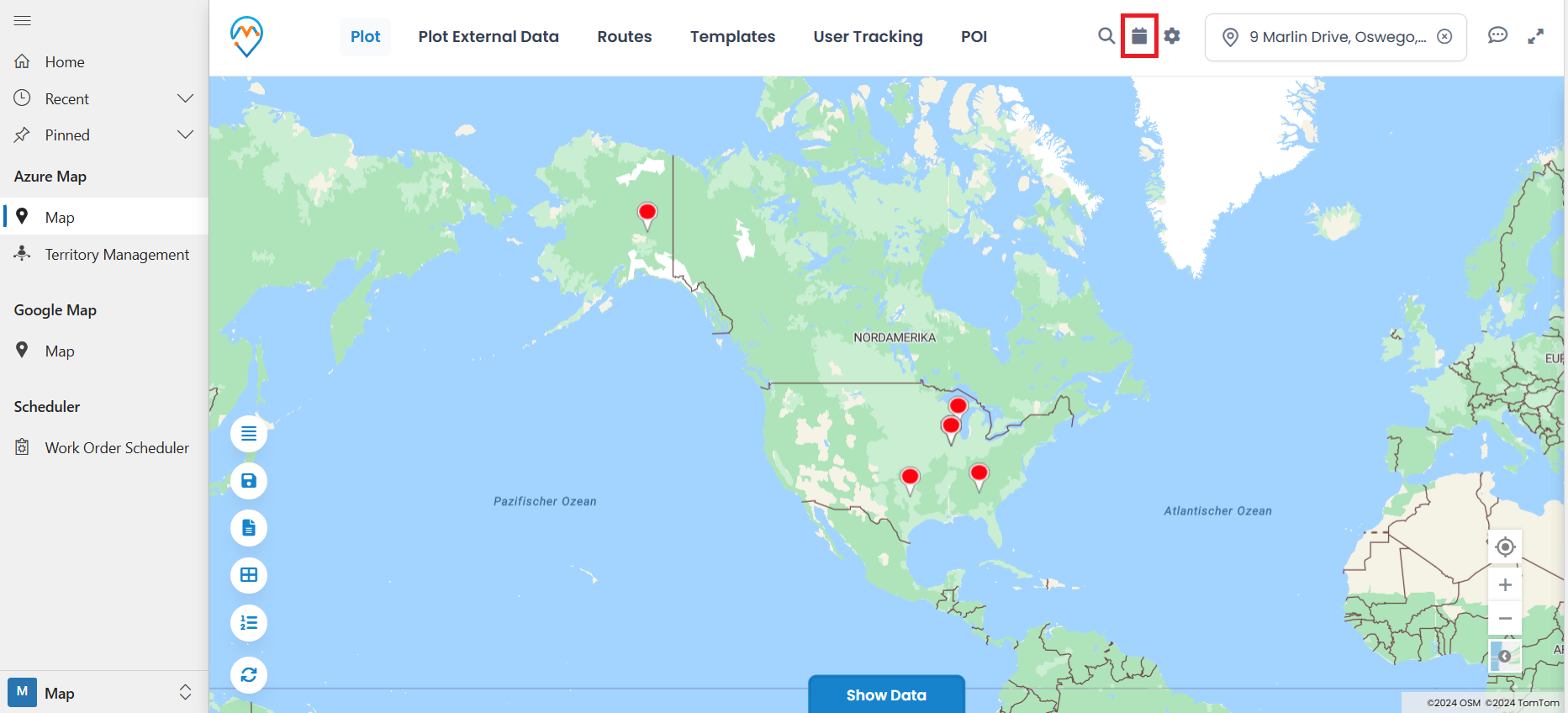
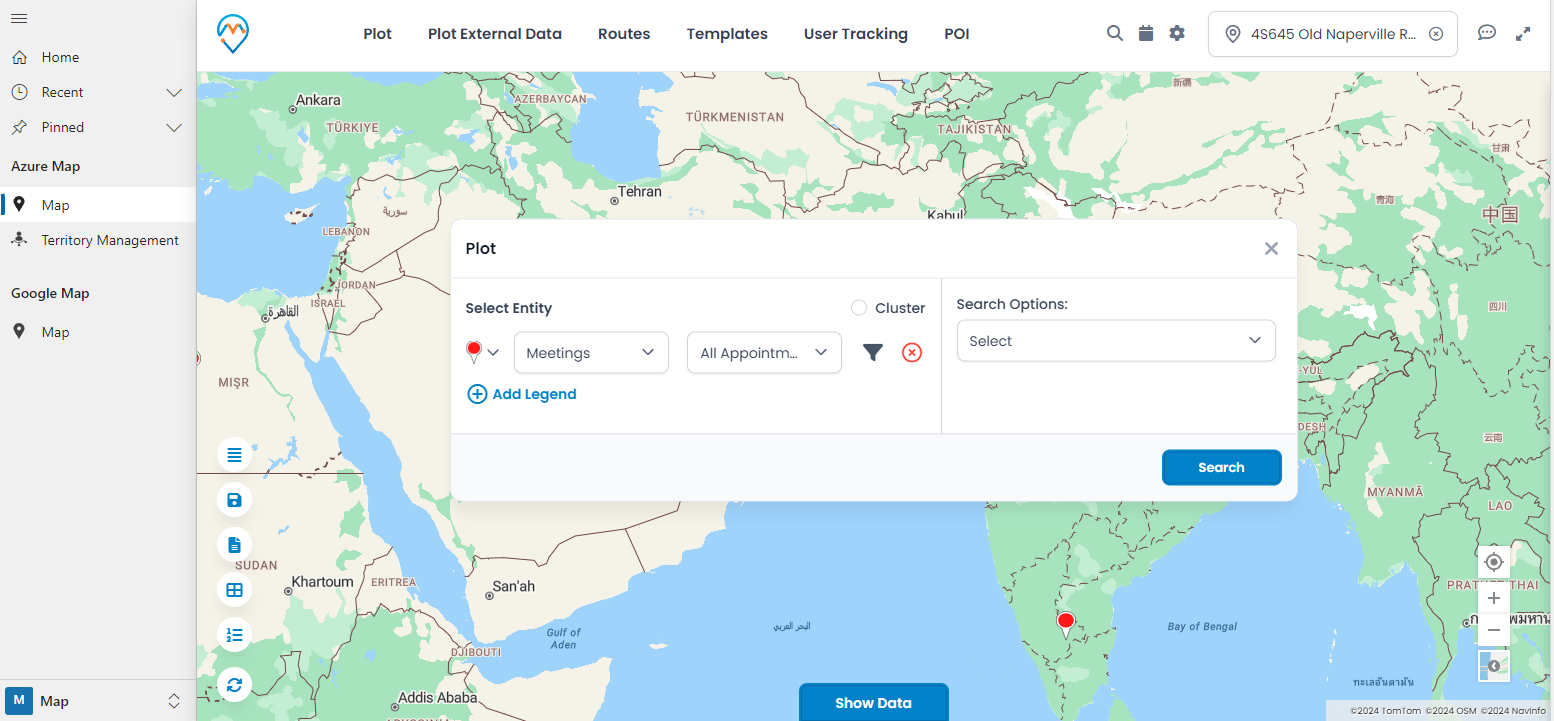
Step 1: Plot the activity entity on the map.
Learn111
Step 2: Click on this Calendar icon to see the activity record in the calendar.

Learn222
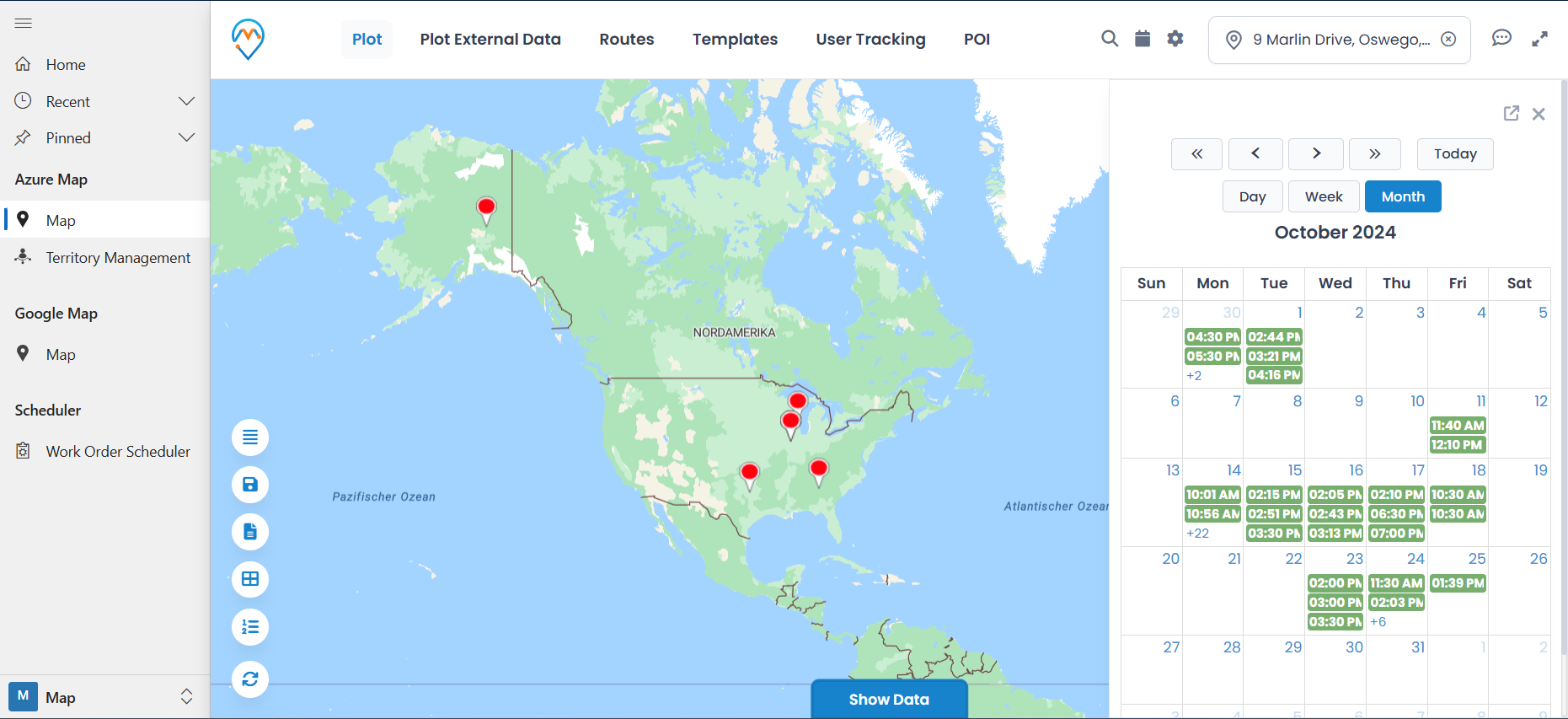
Step 3: After clicking on this icon the user will see the calendar inside the panel like in the image below.

Learn333
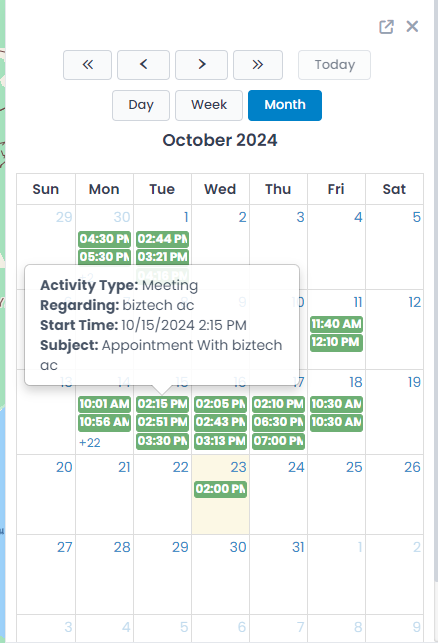
If you hover over the event, you can see its details.

Learn444
By clicking on the event, the user will be redirected to the CRM form for that particular entity with all the activity details.

All product and company names are trademarks™, registered® or copyright© trademarks of their respective holders. Use of them does not imply any affiliation with or endorsement by them.
Read Related Blogs About MappyField 365

4 Field Service Challenges You Can Solve with a Dynamics 365 Map

4 Field Service Challenges You Can Solve with a Dynamics 365 Map

6 Min
How to Build Better Sales Territories — A Step-by-Step Guide for Dynamics 365 Users

How to Build Better Sales Territories — A Step-by-Step Guide for Dynamics 365 Users

6 Min
How Businesses Can Refine Their Operations with Smarter Maps Using MappyField 365

How Businesses Can Refine Their Operations with Smarter Maps Using MappyField 365

7 Min