Still stuck with that old Dynamics CRM for your sales team?
Chances are, it’s slowing everything down. Long drives, outdated lists, dashboards that don’t do what you need them to. Things like that pile up.
And let’s be real: managing a team that’s spread out without the right tools is like trying to juggle while riding a bike. This gets even worse when the CRM can’t help with territory management or sales route planning. Suddenly, you’re missing leads and your reps don’t even know it. That’s not it; this also leads them to take inefficient routes and waste their valuable time solely in transit.
To actually boost your team’s performance, you need a solution that offers real-time lead mapping, territory management, and route optimization rather than a standardized data-tracking CRM. Believe it or not, these features are crucial for more strategic planning, improved field productivity, and achieving higher sales numbers.
Let’s take a closer look at how adding location intelligence to your CRM setup can simplify sales planning and boost performance.
Traditional CRM Sales Planning Is the Problem, Not the Solution
Traditional CRMs? Well, they do a decent job of tracking data and managing leads. But when it comes to managing an outside sales team? They’re not cutting it.
If your reps are stuck with poor routing, missing leads, or hopping between scattered meetings, it’s clear that your CRM wasn’t made for the field.
Territory management, scheduling, and route planning are the things that make or break a field team. And if your CRM doesn’t help with any of that? You’re working with outdated information, and it’s not just a waste of time. It’s costing you sales, energy, and revenue.
If traditional CRMs are so good at handling leads and customer data, why don’t they work for outside sales teams?
CRMs are great for tracking data, but they are not for fieldwork. Sure, they can track accounts and interactions, but they simply cannot help with territory planning, finding the best routes, or scheduling in real-time.
For your sales reps in the field, such a system disconnect means they have to spend a lot of time figuring out where to go instead of selling and getting business! It’s a real problem that’s hurting your business’s productivity and sales.
So, let’s take a closer look at what’s wrong with traditional CRMs.
1. Outside Sales Reps Struggle with Filtered Lists and Static Dashboards
Traditional CRMs excellently track data. However, they lack the geographic layer that helps the sales reps to manage their time and resources effectively.
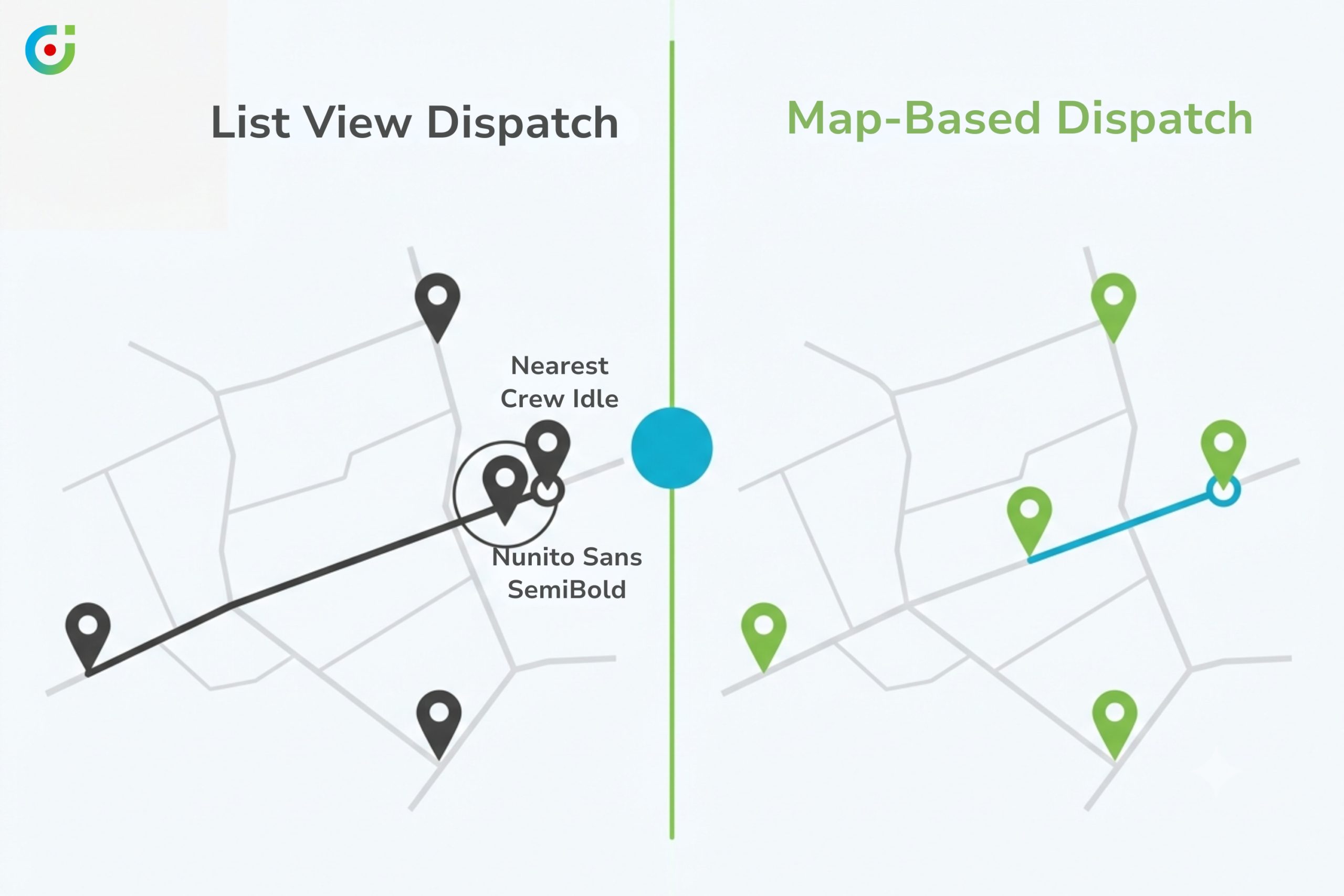
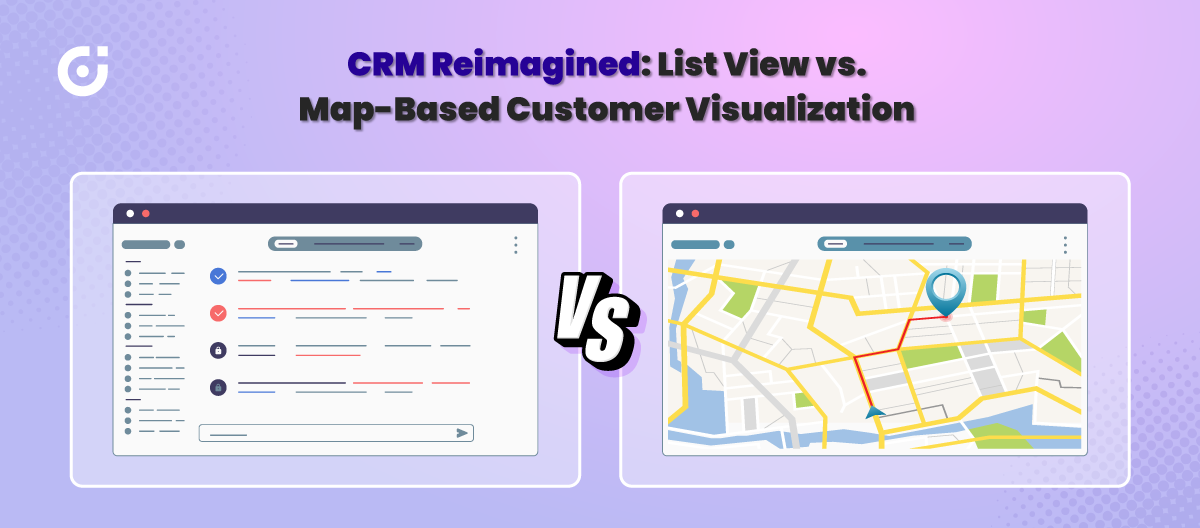
So, instead of seeing leads or appointments on the map, the reps have to scroll through the filtered lists or static dashboards just to find relevant information.
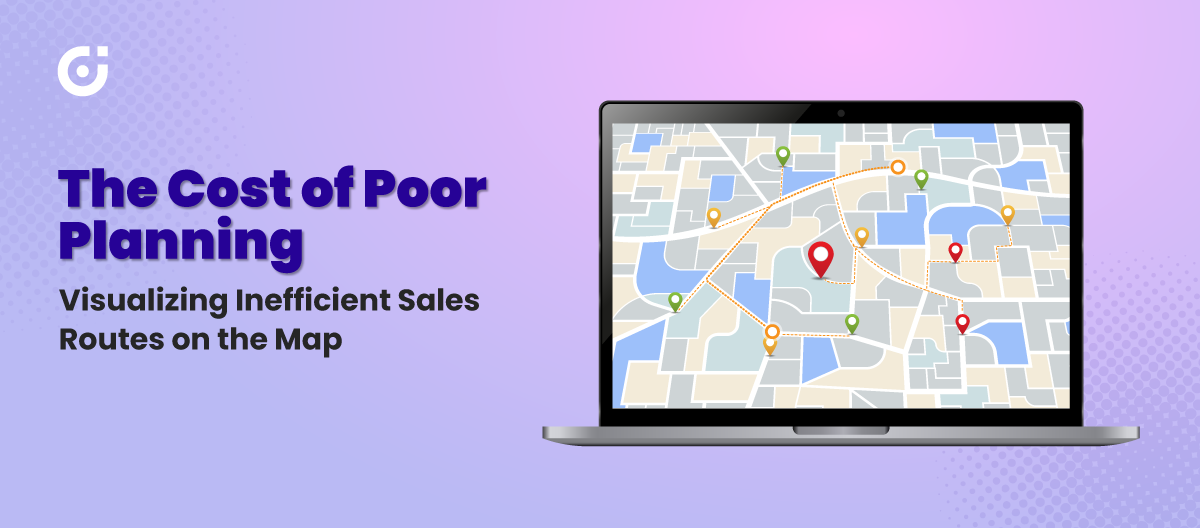
This makes it really difficult for reps to plan the most efficient routes. And it also makes them miss out on opportunities that could easily be clustered by proximity. Put simply, without a map-based CRM solution, your team is left guessing where to focus.
| Expert Tip: | |
|---|---|
| Don’t base your outside sales strategy solely on CRM data. Yes, it helps track leads, but you can still do more with it. Consider adding external market data, like competitor locations, demographic trends, and traffic insights to the mix. These can give your sales reps a better understanding of the field. When this information is incorporated into your CRM, it not only acts as a management tool but also aids in strategic decision-making. | |
2. It’s Difficult to Prioritize High-Value Leads
When using a traditional CRM, it’s easy to overlook high-value leads simply because there’s no way to identify them based on their location quickly. Sales territory management becomes a guessing game without an integrated map view.
Your outside sales reps need to understand where the leads are and which ones are most valuable, based on proximity and sales stage. Without this geographic insight, you risk sending your reps on inefficient routes, leaving high-potential leads untouched simply because they aren’t visible or prioritized.
3. A Lot of Time is Wasted on Inefficient Routing
Another key issue with generic CRMs is that they lack sales route optimization capability. Your reps may have to spend a ton of time in their vehicles than with clients closing the deal.
In a nutshell, without real-time map integration and route planners, reps may end up using outdated tools and manual processes to plan their routes. Such inefficient ways will only make their operations difficult, waste their time in traffic, attend only fewer appointments, and increase costs.
4. Its Inability to Cluster Meetings for Maximum Productivity
One of the simplest ways to increase sales productivity is by clustering meetings. With sales route planners, your reps could group nearby meetings and make the most of their day. But traditional CRMs simply don’t offer that kind of functionality.
And that makes your team end up planning meetings all over the city without factoring in the proximity of one account to another. Such unorganized planning only leads to wasted time in travel, ultimately crashing your client engagement.
With a route planner, on the other hand, it becomes easier for your sales reps to make the most of assigned territories. Let’s understand it! Say a sales rep starts their day meeting a client who is located on one side of the town. They then spend an hour driving to the next appointment, passing by several other potential leads along the route.
This simply means that without a system with territory management and route optimization, your reps are stuck working with inefficient routes and missed opportunities.
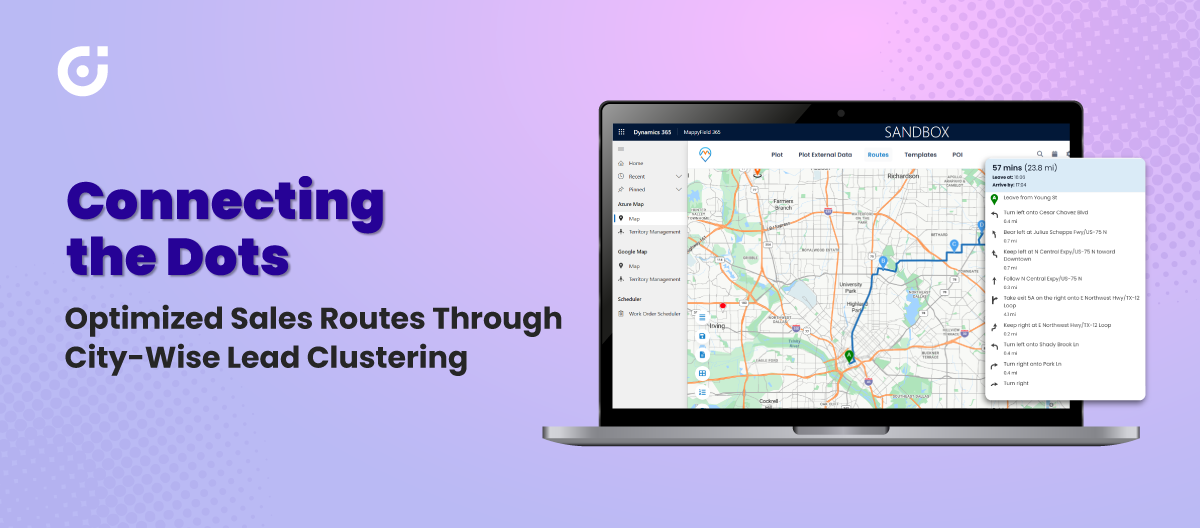
Without territory management and route optimization, they’re stuck in a cycle of inefficient travel and missed opportunities. This scenario is all too common when a CRM system lacks geographic insights, plus if the business is managing-
- High-volume sales teams
- Highly complex sales cycle
- Global sales operations
Put simply, it can significantly hinder the sales team’s ability to hit their targets and drive genuine results.
The Solution? MappyField 365 for Maximizing Your Sales Potential
The limits of traditional CRM sales planning do not mean you have to replace your entire Microsoft Dynamics 365 system.
You may ask why. Well, that is because it is common for field sales teams relying on Dynamics 365 to hit a wall when managing outreach across different locations. And your team, too, is possibly struggling with the same! Although the platform is excellent at storing and tracking customer data, it lacks the spatial intelligence needed.
To fill the gap in streamlining territory planning, lead prioritization, and route optimization (which your current CRM isn’t helping with), you need MappyField 365. It is a Dynamics 365 map integration.
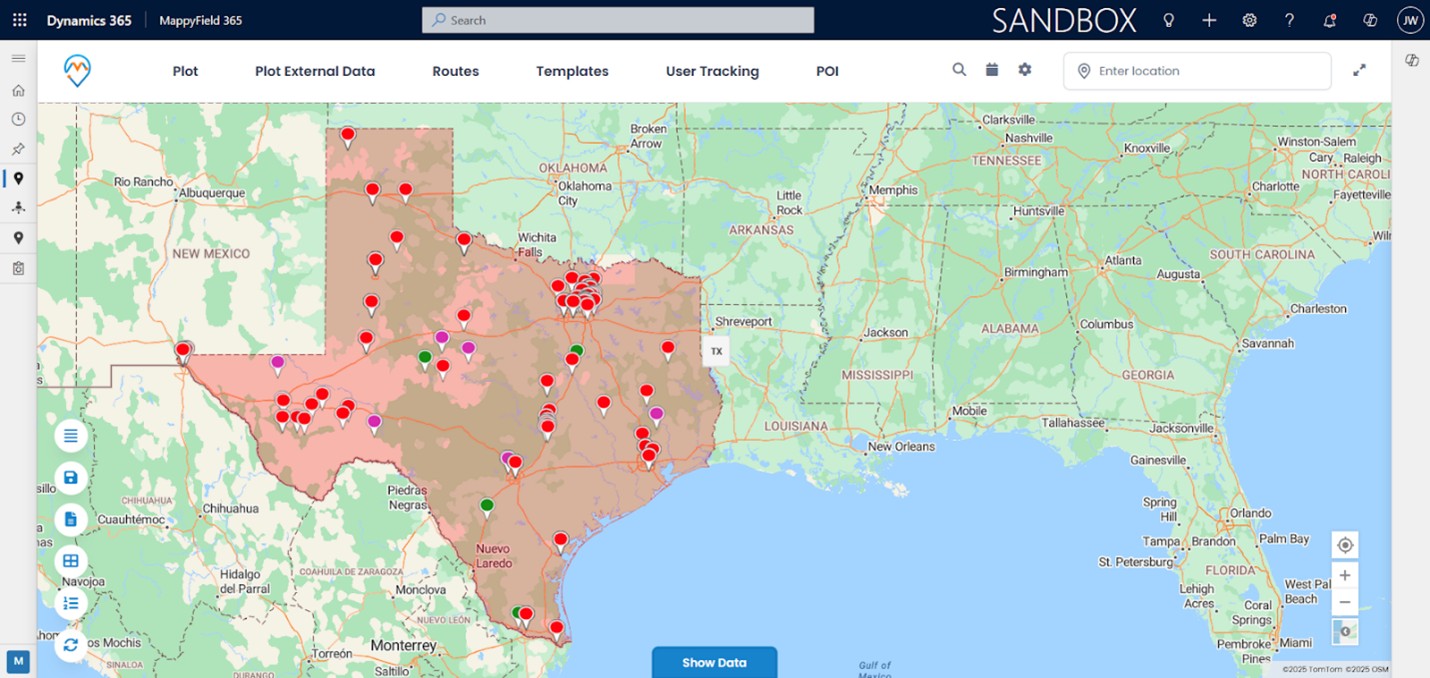
You can also call it a map-based CRM solution that is built specifically to extend the power of Dynamics 365 for outside sales operations. The solution turns your static CRM data into useful geographic insights right within the system that your team currently uses.
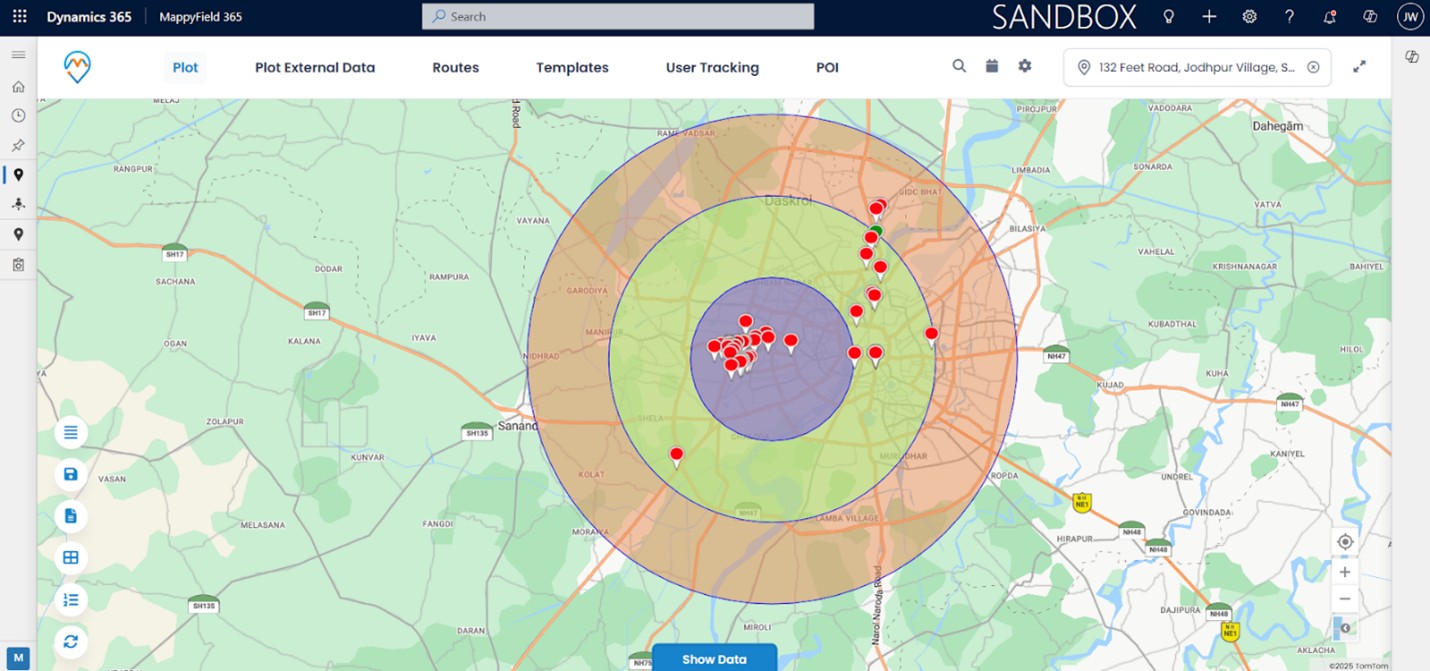
You can also plot leads, opportunities, accounts, and even appointments on a live interactive map, giving your sales reps and managers full visibility into their sales landscape.
How a Regional B2B Tech Sales Team Transformed Field Efficiency and Sales Route Optimization
A growing B2B tech company with a regional field sales team often struggles to scale its outside sales operations. And they face these issues despite having all the essential elements, including an experienced sales force, a strong product lineup, and a well-established Dynamics 365 CRM.
Reps start missing follow-ups, taking inefficient routes, and squeezing in fewer client visits than expected. Managers lack visibility into rep activity, and territory overlap leads to internal conflicts and missed opportunities.
Their CRM does its job from a data perspective, but it isn’t built for the realities of a field-based sales team constantly on the move. What they need is better geographic intelligence layered over the data they already have.
That’s where MappyField 365 can step in.
Once implemented, the team can quickly restructure their entire sales planning process:
- Map all open leads and opportunities on an interactive map to identify clusters and sales hotspots.
- Create optimized routes based on proximity and deal stage, ensuring reps meet the right clients at the right time with minimal travel.
- Increase daily customer visits and improve conversion rates, thanks to smarter scheduling and more focused territory coverage.
By replacing list-based planning with a real, map-based view of their sales landscape, teams can cut down on wasted travel time, increase productivity, and gain greater control over their regional operations. Furthermore, MappyField 365 can provide managers and reps with the visibility and structure they’re looking for. In short, it can become a key component of any outside sales strategy.
| Expert Tip: | |
|---|---|
| The most common mistake sales teams that are growing make is believing that hiring more reps will expand their coverage.
But reality is that without geographic insights, adding more reps to the team would only lead to overlapped territories, greater confusion, and wasted effort. The real advantage of tools like MappyField 365 is its ability to structure territories scientifically, balance workloads, and ensure every rep spends their time where it drives the highest return. |
|
How MappyField 365 Can Transform Outside Sales Workflows and Performance
By integrating MappyField 365 into the existing Dynamics 365 setup, here’s what teams could leverage:
1. Visual Lead Mapping To Drive Smarter Outreach
MappyField 365 converts static CRM records into an intuitive and map-based representation of all your sales-related data. It helps sales representatives to easily plot leads, opportunities, and clients on a live and interactive map that is color-coded based on lead status, industry, or income potential.
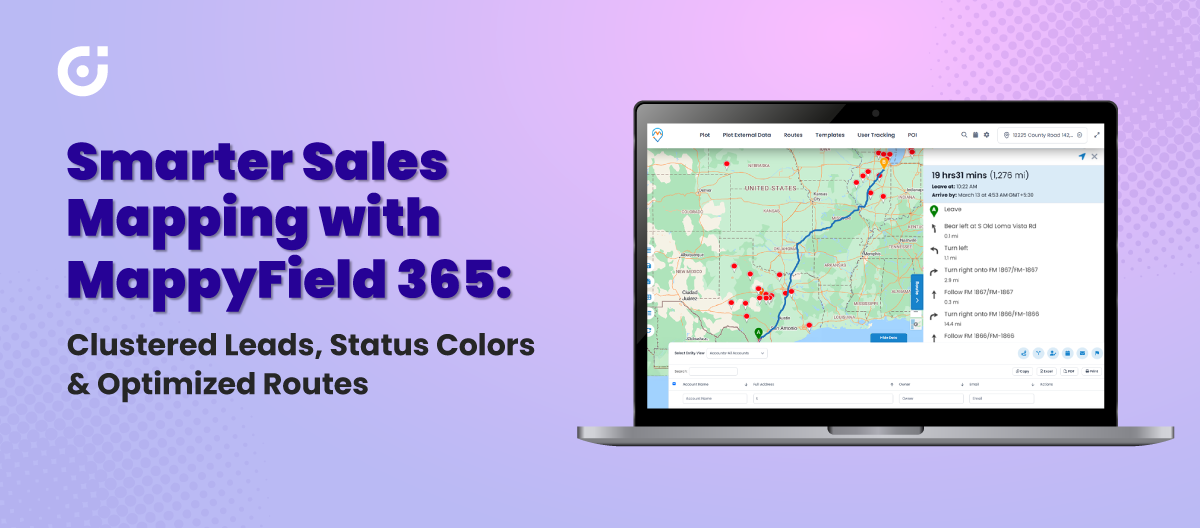
Put simply, identifying trends, prioritizing high-value targets, and developing region-specific marketing get simpler. Instead of relying on blind lists, your team knows exactly where to spend their efforts.
2. Smart Route Planning To Maximize Daily Productivity
Planning the day becomes effortless with optimized route suggestions. MappyField 365 calculates the most efficient path based on location, meeting times, and priority, reducing both travel time and fuel costs.
Additionally, the built-in tools, such as “along-the-route” and “radius” searches, allow the dispatching team to slot in nearby visits and fill calendar gaps. They can also respond to real-time changes, all without backtracking.
Many teams wonder whether automatic routing might limit flexibility when priorities shift during the day. Well, it does the opposite! MappyField 365 allows dynamic re-routing, so when a last-minute meeting, cancellation, or urgent lead comes up, dispatchers can adjust instantly. This way, reps remain productive while still adapting to real-world changes.
This simply results in teams attending more meetings, managing their time better, and recording higher wins.
3. Territory Management That’s Clear and Conflict-Free
Sales managers get full control over territory planning through a simple visual interface.
They can also assign or adjust territories quickly to balance workloads, remove overlaps, and ensure full coverage.
Even the sales reps get to know exactly which areas they own, thereby reducing internal competition and boosting individual accountability. In a nutshell, performance tracking becomes more structured and transparent for sales managers.
4. Proximity-Based Follow-Ups That Capture Every Opportunity
With MappyField 365, no lead can slip through the cracks because outside sales reps can easily locate prospects who are nearby their current location and add them to their day’s route.
This way, reps can also make the most of their time in the field if they need to fill a last-minute gap or follow up after a cancellation.
5. Real-Time Access That Keeps Teams Agile and Informed
Regardless of what sales reps are driving or are doing business in between meetings, with the mobile access, they can always stay connected. Also, they can view optimized routes, check in and out of appointments, update lead statuses, and record notes directly from their phones.
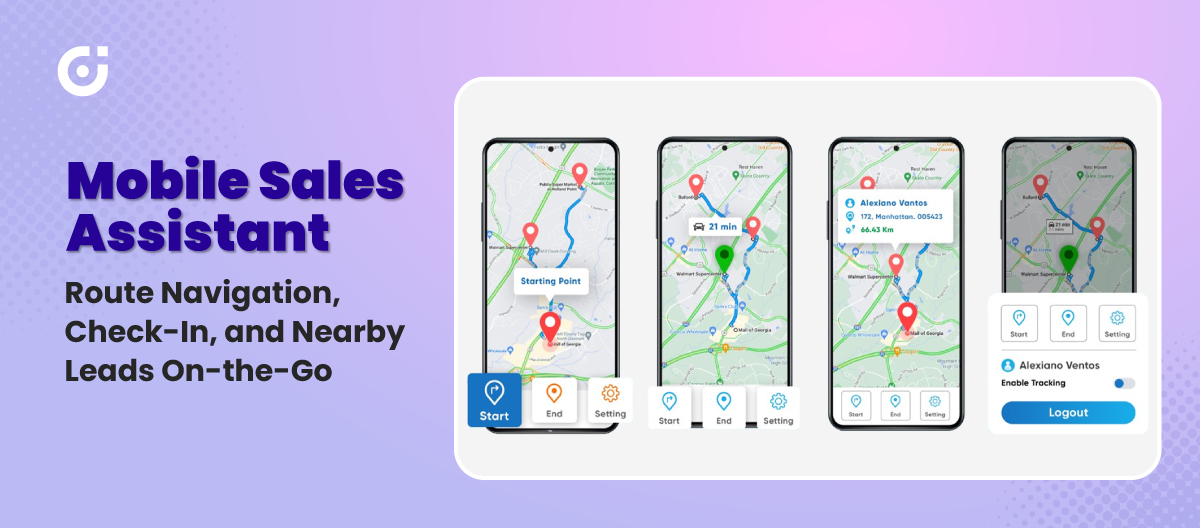
Now this brings up an important question of whether real-time access really simplifies field reporting faster or does it change how teams work? The real impact goes far beyond speed. When updates flow instantly, managers don’t just get information sooner—they gain the ability to course-correct during the day, balance workloads in real time, and even prevent missed opportunities. For reps, it means less back-and-forth with managers and more autonomy in the field.
Meanwhile, managers can monitor field activities, enabling them to make quick decisions, adjust territories, and oversee performance. Furthermore, such a high level of agility ensures that the team is always aligned and operating at full speed.
The Measurable Impact of MappyField 365 on Sales Performance
When outside sales teams shift from traditional planning to map-based CRM workflows, the difference is immediate and measurable! That’s precisely what businesses experience with MappyField 365 integrated into their Dynamics 365 environment.
- Higher lead engagement and conversion rates
Reps start connecting with the right leads, in the right areas, at the right time, resulting in higher engagement and stronger conversion rates.
- Improved scheduling efficiency
Route planning no longer eats up hours of their day. Instead, they follow optimized paths that let them meet more clients without increasing their workload.
- Better territory coverage and accountability
With better territory coverage and more focused outreach, sales performance naturally improves.
- Smarter workload balancing and performance tracking
This visibility helps teams rebalance workloads, track coverage, and spot performance gaps early.
- Reduced travel and fuel costs
With sales route optimization, sales reps travel fewer miles, and they spend less on fuel.
- Less time spent on manual admin work
With MappyField 365 at work, there is a noticeable drop in administrative time because scheduling, follow-ups, and lead prioritization all happen from a single platform.
- More accurate sales forecasting
With territory analytics and mapped performance trends, forecasting becomes more precise, helping leaders make smarter decisions about scaling, resourcing, and expansion.
| Expert Tip: | |
|---|---|
| The actual value of geographic intelligence for sales leaders goes beyond improving day-to-day operations. It provides clarity for high-level decision-making by visually connecting performance with territories. When leaders can clearly see which regions are overperforming, underpenetrated, or saturated, they can make more confident decisions about market expansion, resource allocation, and long-term growth strategy. | |
Take MappyField 365 on the Road and Let Teams Outperform
You’ve seen what’s holding your outside sales team back and what’s possible when geographic intelligence becomes part of your sales strategy. MappyField 365 doesn’t replace your CRM. It completes it.
This is your next step if you’re ready to stop wasting time on scattered routes, missed follow-ups, and disconnected territory planning. It’s time to give your team the tools they need to sell smarter, cover more ground, and close more deals every single day!
Let us show you how MappyField 365 can transform the way your field team works and help you turn every trip into a sales opportunity. To see it in action, try the demo today!
All product and company names are trademarks™, registered® or copyright© trademarks of their respective holders. Use of them does not imply any affiliation with or endorsement by them.